I am currently testing Tryton as possible ERP for us. At the moment, we are only using Shopify and Shopify POS and in case we implement Tryton we need a working interface between Tryton and Shopify. We are interested in Tryton, because it could be our basis for further sales channels like etsy and so on.
Right now I am stuck on updating metafields/metaobjects in Shopify with Tryton attributes as I can’t select the Shopify webshop in the attribute. The webshop interface is set up correctly (I guess, as the general exchange of products is working).
How do I update metafields in Shopify with fields from Tryton? Is there a guide?
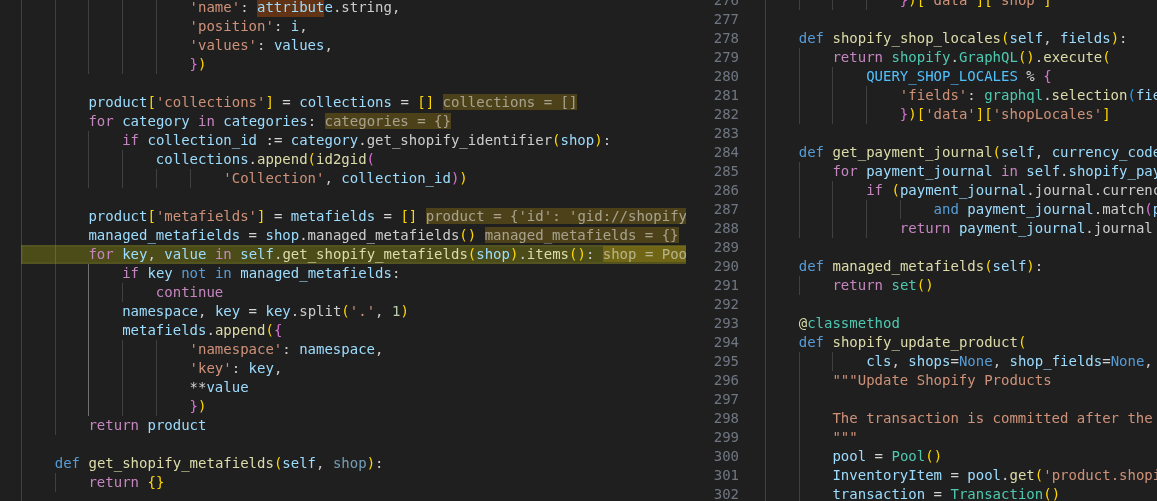
It is implemented but base module does not manage any metafields, but you can create a custom module to extend the method and define the list of metafields that you want to manage. Once done, the module will upload the metafields to Shopify.
This is a common practice in a modular system like tryton
The Tryton’s attributes are converted as Shopify product options based on the Tryton’s attribute set of the product. These must be used to create unique variants.
The metafields are left free for customization.
Because Shopify is limited to maximum 3 options. This limitation makes that we have to choose a different the attributes for each product via the attribute set.
I understand. A attribute set might have 10 different attributes (size, color, etc.) and only size is relevat for shopify options. The other 9 attributes I want to still show as metafield in the shopify product and therefor I dont understand why the “used” attributes table in web shop settings is hidden. From my understanding it would be the perfect basis for defining which attribute should be created as metafield in shopify and based on this i can implement a general logic for managed_metafields().