Not really actually. You just have to add another counter so one counter for Euro and one for Dollar. Then on each row you have to decide (just if-then-else) which amount goes to which counter. In the code for the header and footer you add the values of both counters (find the dollars  ).
).
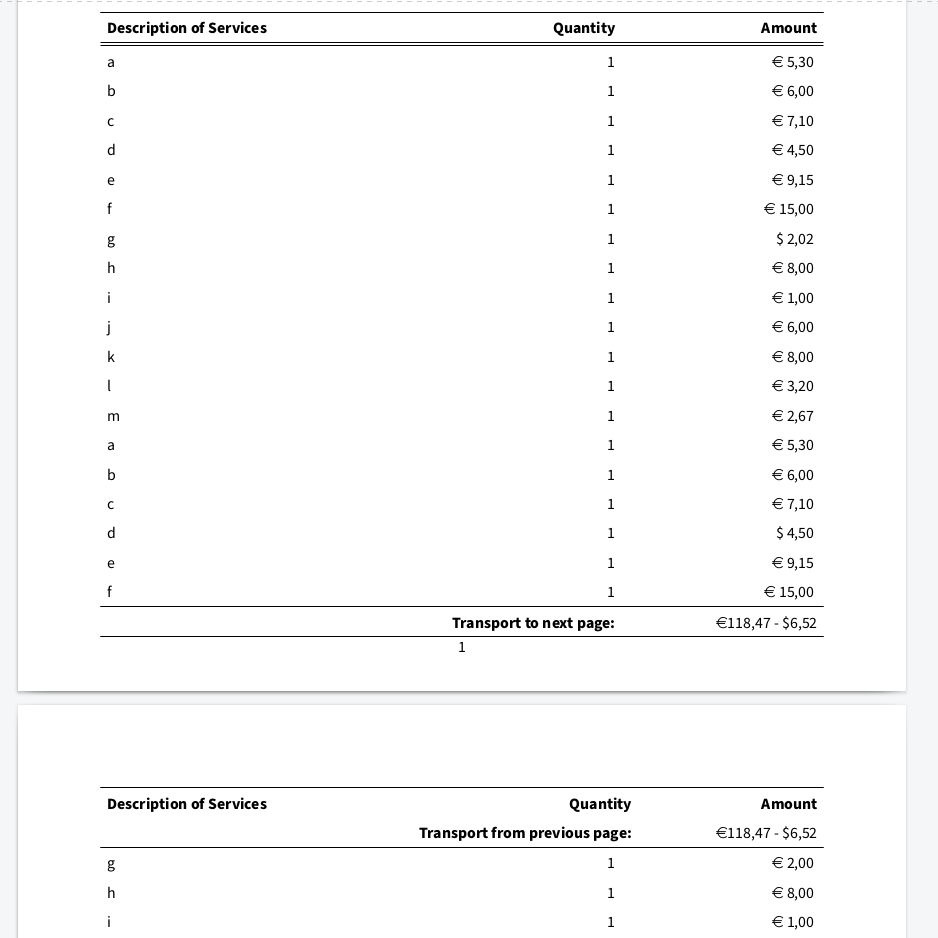
The counters are nothing more then a counter function in Latex and nothing special. Latex uses lots of counters to count pages, headers, sections, images, references etc.
Each row of data sends it’s amount to the counter(s). In my case I also let the counter add the value to the row so if you want you can display both currencies alongside each other. But each value can be styled differently.
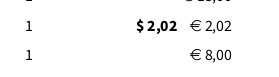
To be honest, this is just a file (screenshots taken from the rendered PDF), the actual data with the amounts are not added dynamically from Tryton yet.
I’m starting to like Latex more and more and I am thinking to move all my reports to Latex. Hopefully I can get rid of LibreOffice to be installed on my headless server. The Latex templates are way more clean then the fodt templates.
I also did some research if such thing is possible in LibreOffice, but couldn’t find anything. For my Latex file I used https://tex.stackexchange.com/questions/151380/how-to-print-subtotals-in-each-page-of-a-long-table as a reference and made some small changes to get it the shape it is now.