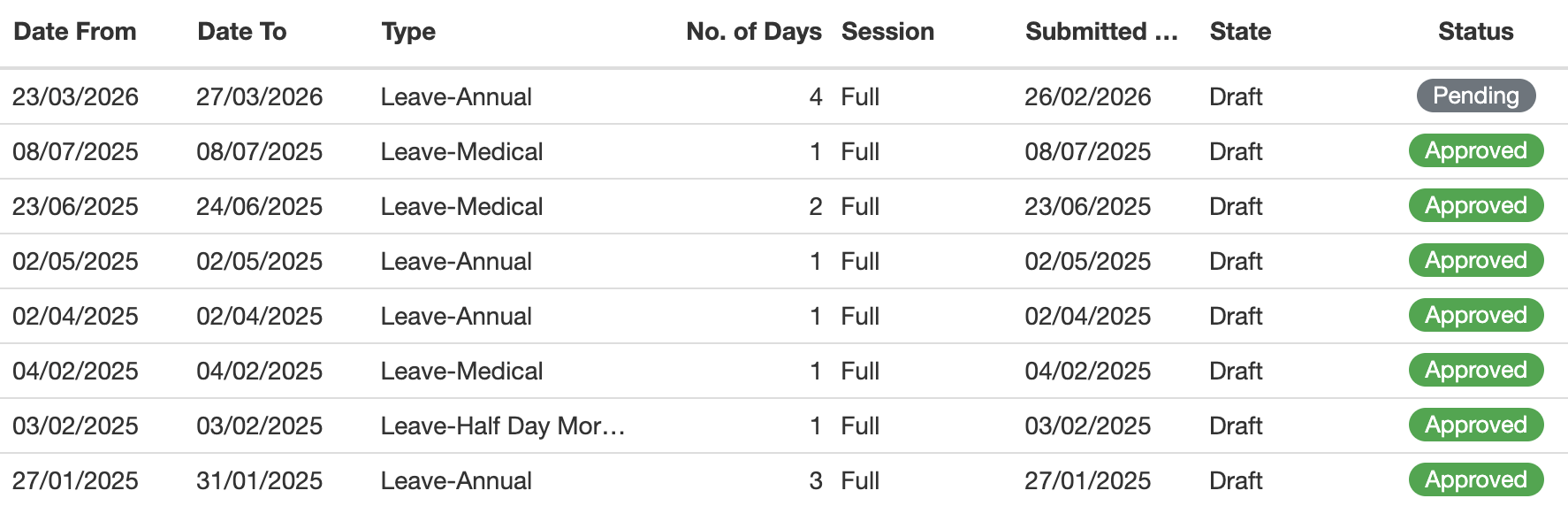
I’m trying to hide a record that the state is still ‘draft’ and status = ‘pending’. I’m a beginner at Tryton. I was requested to hide the leave record that the state is ‘draft’ and status = ‘pending’. Can anyone have an idea where should I start and how to do it?
In order to hide specific records from a list view you have to add a domain filter directly to the window action (ir.action.act_window) inside your module’s XML file. This approach ensures that the records are excluded by the server before they even load in the view.
Since you want to hide records where both conditions are true at the same time (state = ‘draft’ AND status = ‘pending’), you just need to list both conditions — Tryton applies AND by default when no operator is specified.
Here is how you can set up the XML record for the leaves window action:
<!-- Note: "act_leave_list" and "hr.leave" are just examples.
     You will need to find the actual action ID and model name used in your module -->
<record model="ir.action.act_window" id="act_leave_list">
    <field name="name">Leaves</field>
    <field name="res_model">hr.leave</field>
    <field name="domain" eval="[
        ('state', '!=', 'draft'),
        ('status', '!=', 'pending')
    ]" pyson="1"/>
</record>
Steps to apply this:
- Locate the XML file in your module where the ir.action.act_window for the leaves model (hr.leave or similar) is defined.
- Add the domain to that action.
- Update your module so the database reads the new XML.
Hope this helps!