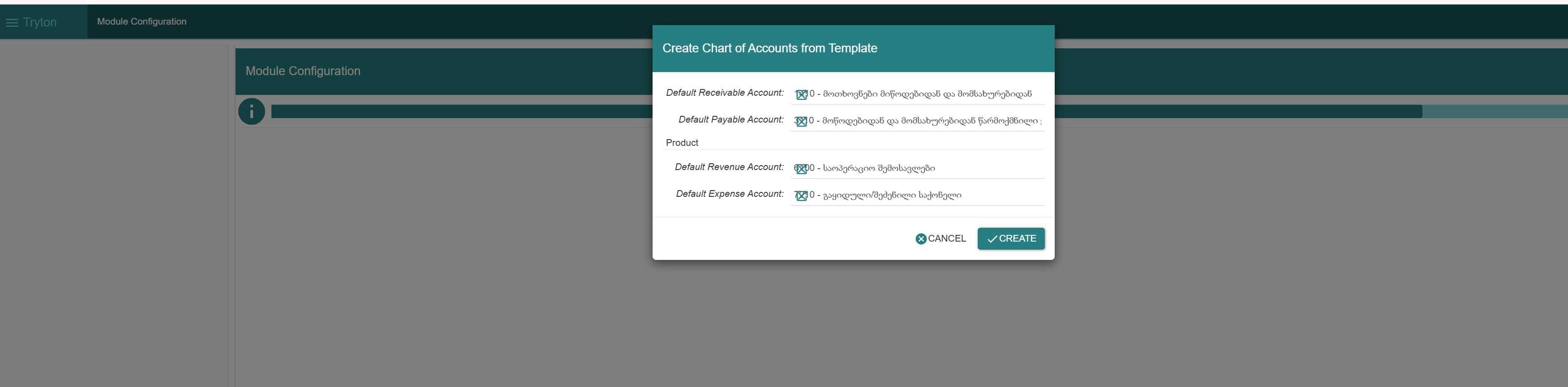
After activating modules, in Module Configuration → “Create Chart of Accounts from Template”, the magnifier (search) icon on Many2One fields appears on the left and overlaps the field text. It should be on the right (LTR).
Tryton 7.6 / SAO 7.6,
Please fill an issue.