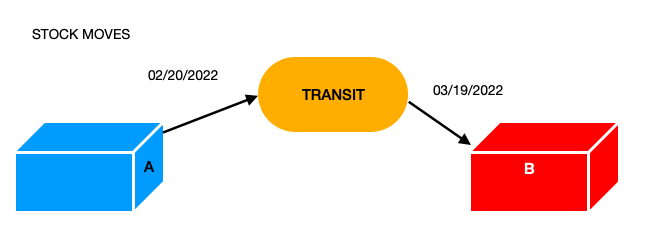
How could you manage the shipment of products that, for example, depart from warehouse A in January and arrive in warehouse B in March?
How to manage the stock of the departure and destination warehouse? Can the Transit deposit be used? as?
Hi Ced, thank you.
I have read the topic, but I cannot apply it …
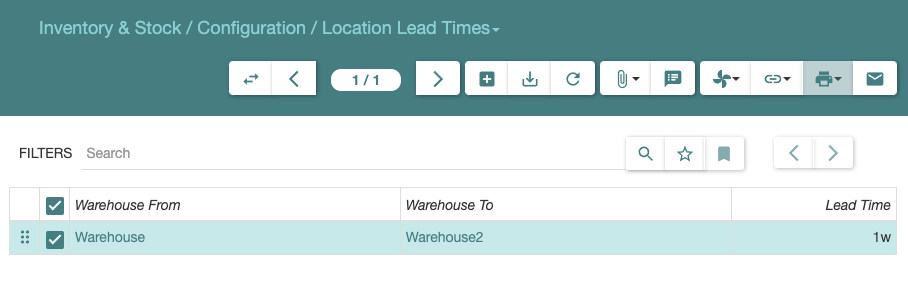
In “Stock Location Lead Time” you specify the shipping times between Warehouses, but in the internal shipment you can only choose location storage (not warehouses) …
Case study:
I ship a product from warehouse A on 02/20/2022 that will arrive at warehouse B on 03/19/2022.
I would like to create an internal shipment on 02/20/2022 that has stock moves on different dates.
I would like to use “Transit” location so that:
stock move 1 on 02/20/2022 that move the product from A location to Transit
stock move 2 on 03/19/2022 that move the product from the Transit to the B location
On the dates between 02/20/2022 and 03/19/2022 the product must be in the Transit location because it is not physically present in location A and is not physically present in location B.
I do not think it is possible to help you without an exact description of what you did.
(And screenshots are pointless, we need textual description of the data input.)
Premise:
The warehouses I use have the same storage location for the input, output and storage locations.
Moving products from Warehouse “A” to Warehouse “B” can take up to 1 week; I set, in Location Lead Times, between Warehouse “A” and Warehouse “B” 1Week.
Yesterday (2022-03-24) I created two internal shipments between warehouse “A” and warehouse “B”. I don’t know how the process using the Transit location works and I’ve used two sets of different dates.
First Shipment:
Planned date: 2022-03-25
Effective date: 2022-03-25
Start Planned date: 2022-03-24
Start Effective Date: 2022-03-24
left in the SHIP state.
Second Shipment:
Planned date: 2022-03-24
Effective date: 2022-03-24
Start Planned date: 2022-03-25
Start Effective Date: 2022-03-25
left in the SHIP state.
Today (2022-03-25) I brought the two internal shipments to DONE status.
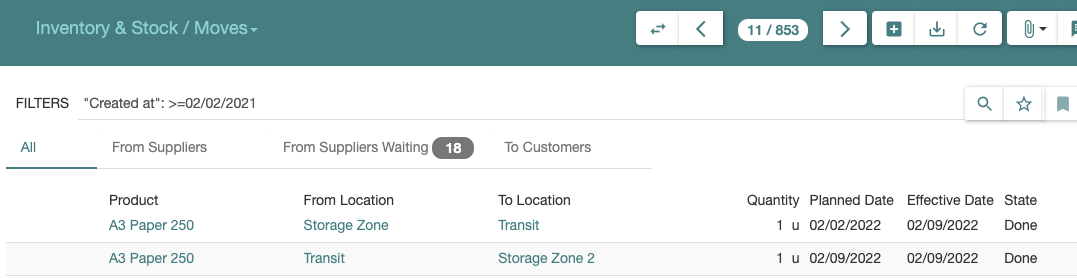
The first Shipment has Outgoing Moves:
from_location: Warehouse “A”
to_location: Transit
planned_date: 2022-03-24
effective_date: 2022-03-25 Incoming Moves:
from_location: Transit
to_location: Warehouse “A”
planned_date: 2022-03-25
effective_date: 2022-03-25
In Outgoing moves I expected effective_date: 2022-03-24 as the products were shipped on 2022-03-24
The second Shipment has Outgoing Moves:
from_location: Warehouse “A”
to_location: Transit
planned_date: 2022-03-25
effective_date: 2022-03-24 Incoming Moves:
from_location: Transit
to_location: Warehouse “A”
planned_date: 2022-03-24
effective_date: 2022-03-24
In Incoming moves I expected effective_date: 2022-03-25 as the products arrived at their destination on 2022-03-25
This does not look like that as each of your shipment as the same outgoing from_location and incoming to_location.
Also you should not need to have 2 shipments to transfer between warehouse, a single shipment with the right locations is enough (and will compute the delay according to the lead time).
I created two different internal shipments because I didn’t know how to set planned planned_start effective and effective_start dates (i swapped the dates between date and date_start)
sorry, mistakes in copying and pasting:
The first Shipment has Outgoing Moves:
from_location: Warehouse “A”
to_location: Transit
planned_date: 2022-03-24
effective_date: 2022-03-25 Incoming Moves:
from_location: Transit
to_location: Warehouse “B”
planned_date: 2022-03-25
effective_date: 2022-03-25
In Outgoing moves I expected effective_date: 2022-03-24 as the products were shipped on 2022-03-24
The second Shipment has Outgoing Moves:
from_location: Warehouse “A”
to_location: Transit
planned_date: 2022-03-25
effective_date: 2022-03-24 Incoming Moves:
from_location: Transit
to_location: Warehouse “B”
planned_date: 2022-03-24
effective_date: 2022-03-24
In Incoming moves I expected effective_date: 2022-03-25 as the products arrived at their destination on 2022-03-25