# Tryton client 5.0 is acting really strange on KDE, probably due to gtk3 csd's
**URL:** https://discuss.tryton.org/t/tryton-client-5-0-is-acting-really-strange-on-kde-probably-due-to-gtk3-csds/2460
**Category:** User
**Created:** [March 18, 2020, 10:04am UTC](https://discuss.tryton.org/t/tryton-client-5-0-is-acting-really-strange-on-kde-probably-due-to-gtk3-csds/2460 "2020-03-18T10:04:03Z")
**Posts on this page:** 3
**Page:** 1
### Author:  [@Jani-Matti](https://discuss.tryton.org/u/Jani-Matti)
#### Post date: [March 18, 2020, 10:04am UTC](https://discuss.tryton.org/t/tryton-client-5-0-is-acting-really-strange-on-kde-probably-due-to-gtk3-csds/2460/1 "2020-03-18T10:04:04Z")
The 5.0 LTS version of the client is acting really strange on KDE. I think this probably due to the way it implements the GTK3 client-side window decorations.
I’ve attached below a few screenshots & explanations, which illustrate the issue. Is there a way to fix this with settings?
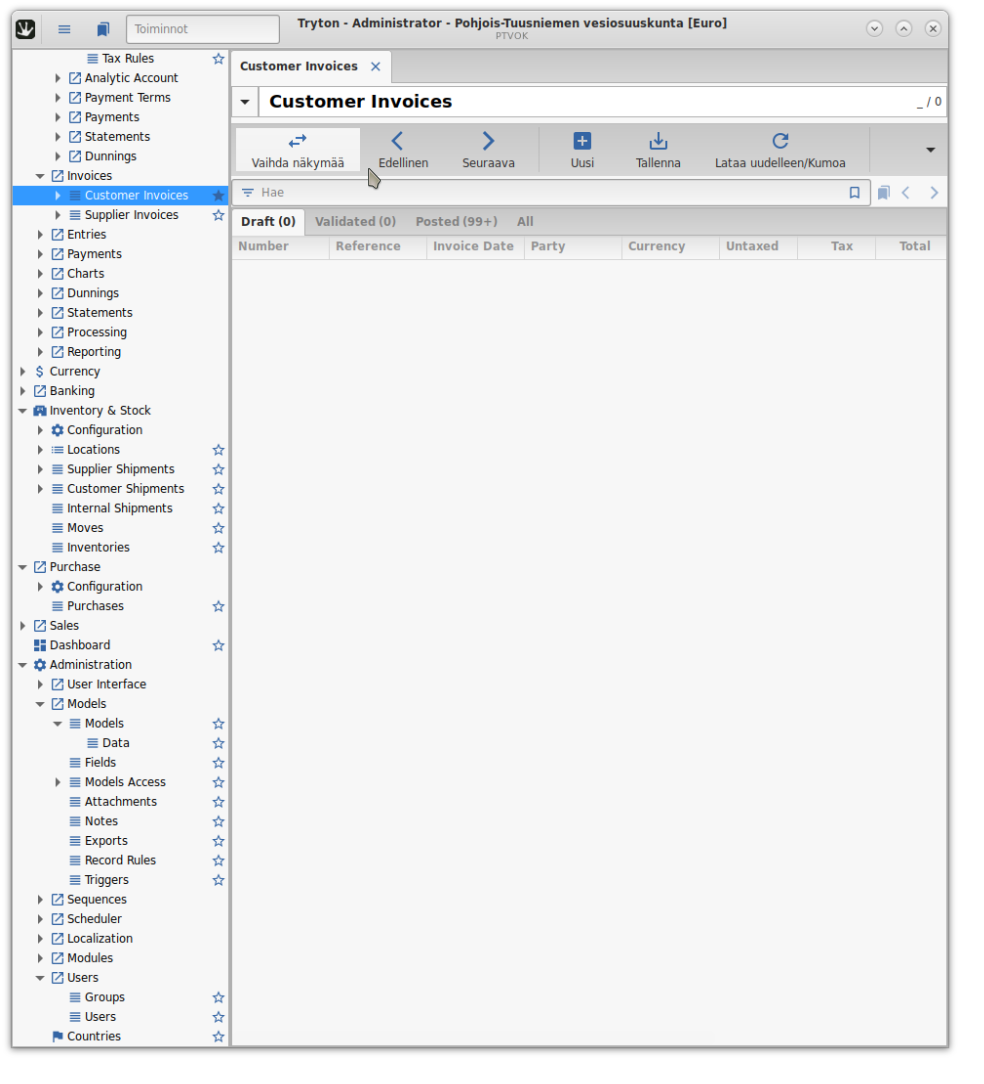
Here is the client window without any special Kwin-related settings. It looks normal enough, but if you look more closely, you can see that the text is a bit distorted & also if you look at the cursor position, the clickbox of the first toolbar item is offset down & to the right. This also applies to all of the UI elements, including items in the list.
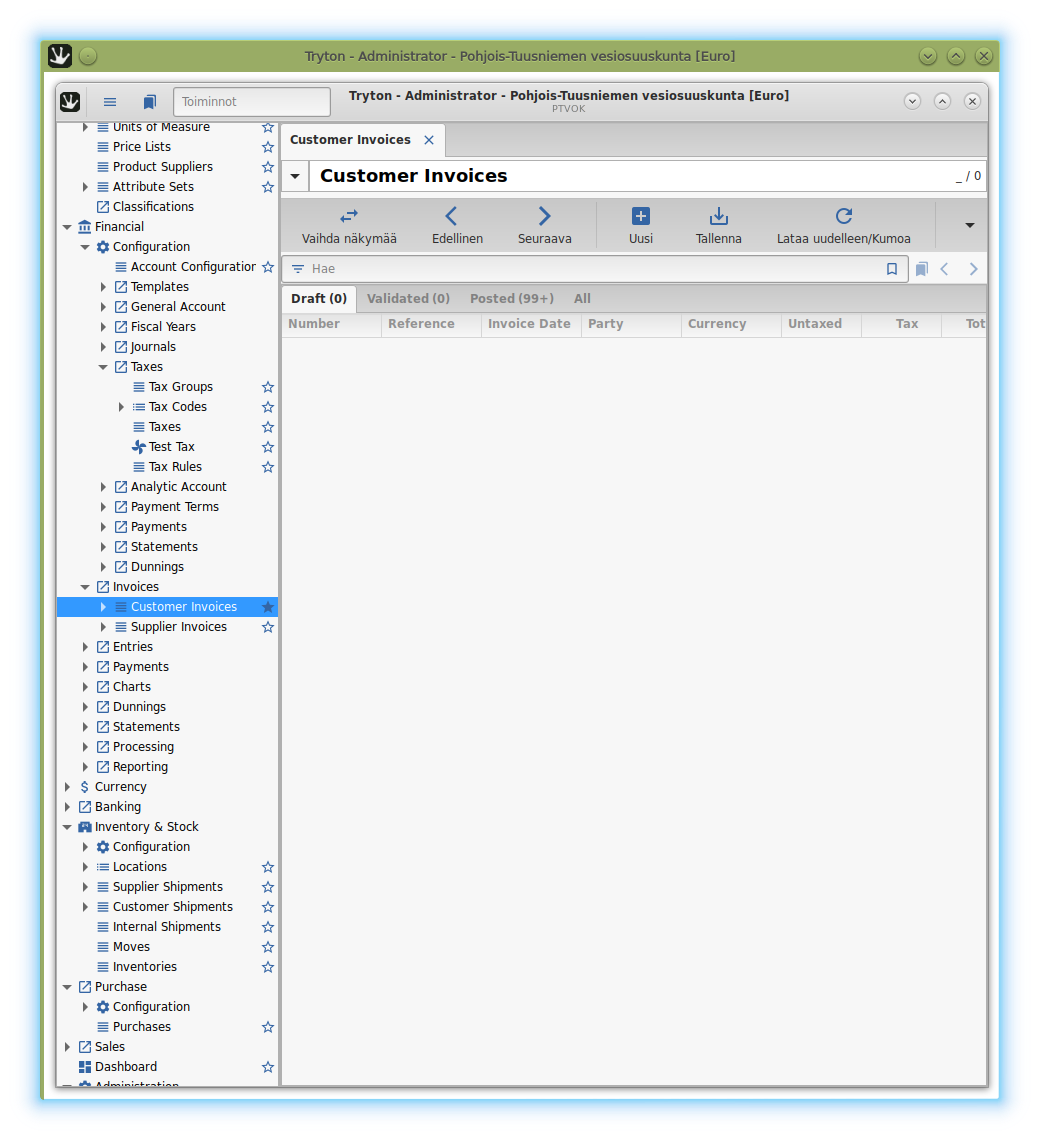
Above is the client forced to run inside a Kwin frame. As you can see, there’s empty space around the GTK3 window frame inside. I think this is causing the issues.
If the client window is maximised full-screen this scaling/empty-space around frame issue goes away.
Edit: Oh also noticed that if I try to maximize the normal client window to half-full screen, there’s the same empty space around the side & bottom edges of the window & the same scaling issue. Clearly some bug in the way the client-side window decoration has been written. No similar issues on Windows (luckily).
---
### Author:  [@ced](https://discuss.tryton.org/u/ced)
#### Post date: [March 18, 2020, 12:35pm UTC](https://discuss.tryton.org/t/tryton-client-5-0-is-acting-really-strange-on-kde-probably-due-to-gtk3-csds/2460/2 "2020-03-18T12:35:08Z")
Maybe it is linked to App Menu. As it is been retired from Gnome project, I created [App Menu retired by Gnome (#9115) · Issues · Tryton / Tryton · GitLab](https://bugs.tryton.org/issue9115)
If this does not help, I think it should be reported to GTK project because we do not do anything special in the client that could explain this behavior.
---
### Author:  [@Jani-Matti](https://discuss.tryton.org/u/Jani-Matti)
#### Post date: [March 18, 2020, 3:55pm UTC](https://discuss.tryton.org/t/tryton-client-5-0-is-acting-really-strange-on-kde-probably-due-to-gtk3-csds/2460/3 "2020-03-18T15:55:58Z")
Oh. Sorry about that. I tested with a few other GTK3 & Python applications and this seems to be affect all of them. Will have to figure out, whether it’s a config, GTK3, or KDE issue.