# Products: Account Category
**URL:** https://discuss.tryton.org/t/products-account-category/3414
**Category:** User
**Created:** [October 30, 2020, 12:22am UTC](https://discuss.tryton.org/t/products-account-category/3414 "2020-10-30T00:22:03Z")
**Posts on this page:** 6
**Page:** 1
### Author:  [@mtninvzub](https://discuss.tryton.org/u/mtninvzub)
#### Post date: [October 30, 2020, 12:22am UTC](https://discuss.tryton.org/t/products-account-category/3414/1 "2020-10-30T00:22:03Z")
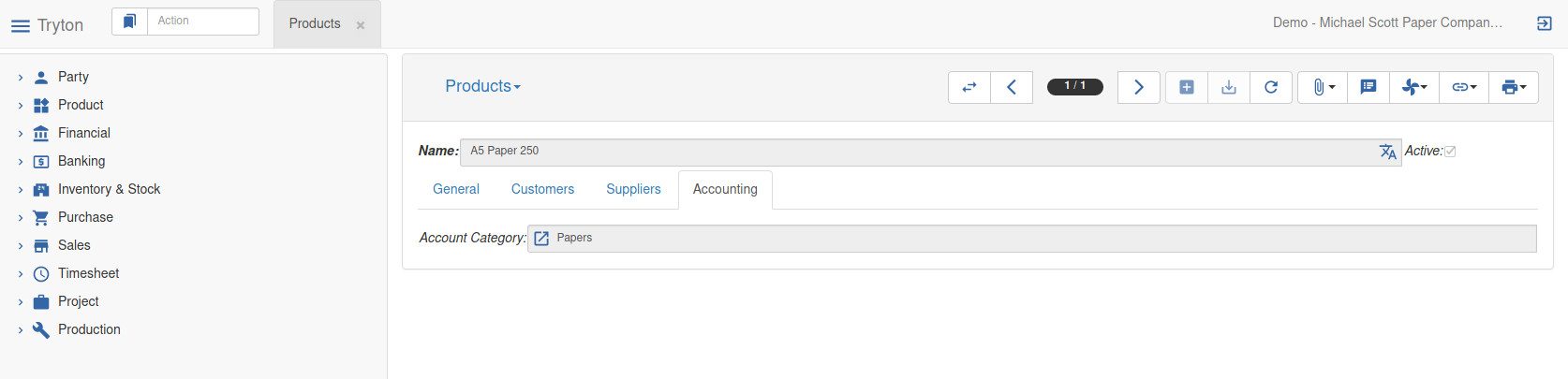
When editing a specific product, there is an Accounting tab to the right of the General tab.
In this Accounting tab there is a field called “Account Category”.
I cannot find where the input choice is setup.
I see Account Category in another place: Financial:Configuration:Account Configuration:
There is the word Category above 2 fields: Default Account Revenue, Default Account Expense.
So, does Account Category mean: one of Revenue or Expense?
How to populate the Account Category field in Product?
Apologies in advance for another basic question. I see some discussion about Product / Account Categories, but I cannot process this as a new user.
---
### Author:  [@Alnus](https://discuss.tryton.org/u/Alnus)
#### Post date: [October 30, 2020, 3:27am UTC](https://discuss.tryton.org/t/products-account-category/3414/2 "2020-10-30T03:27:57Z")
Hello,
It is necessary to create the corresponding accounts and account types, the creation of accounts can be found at [https://tryton-gsod.readthedocs.io/projects/modules-account/en/latest/design/account.html](https://tryton-gsod.readthedocs.io/projects/modules-account/en/latest/design/account.html), being this site still under construction and not yet official
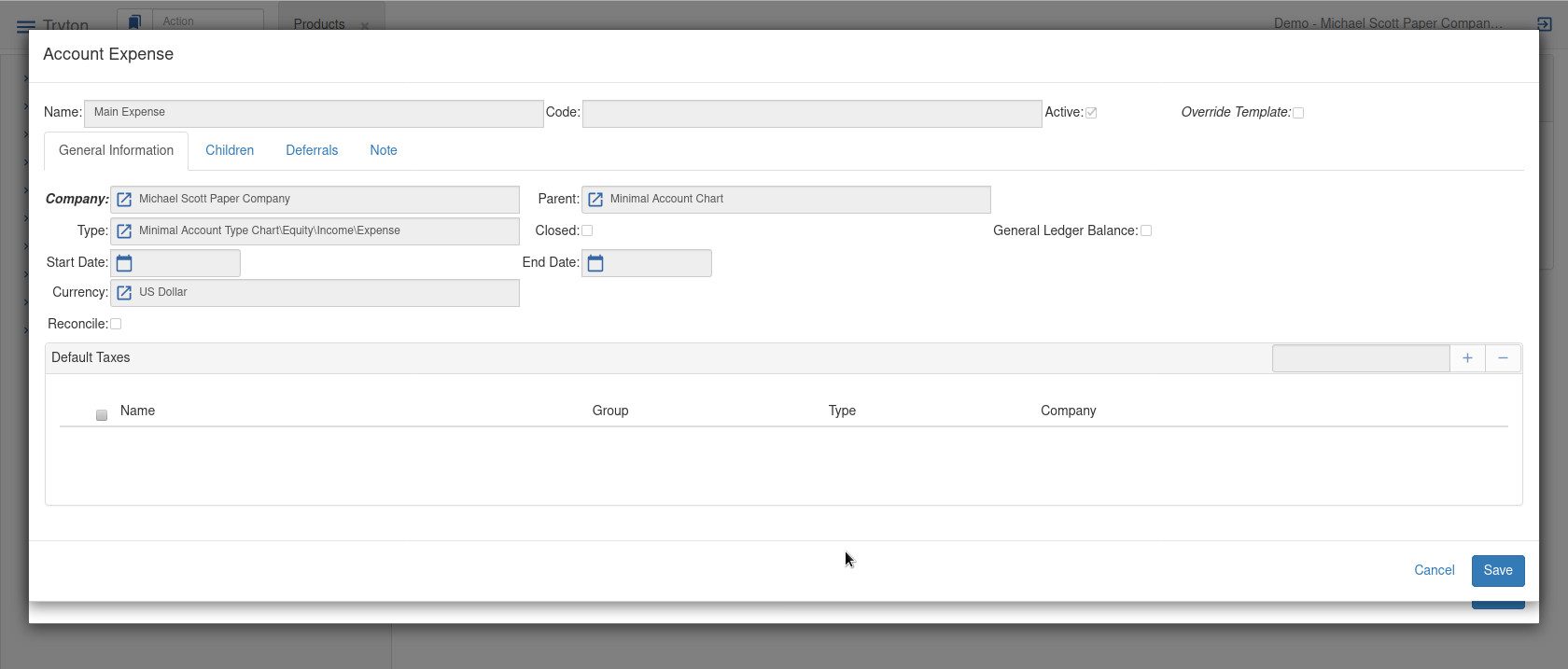
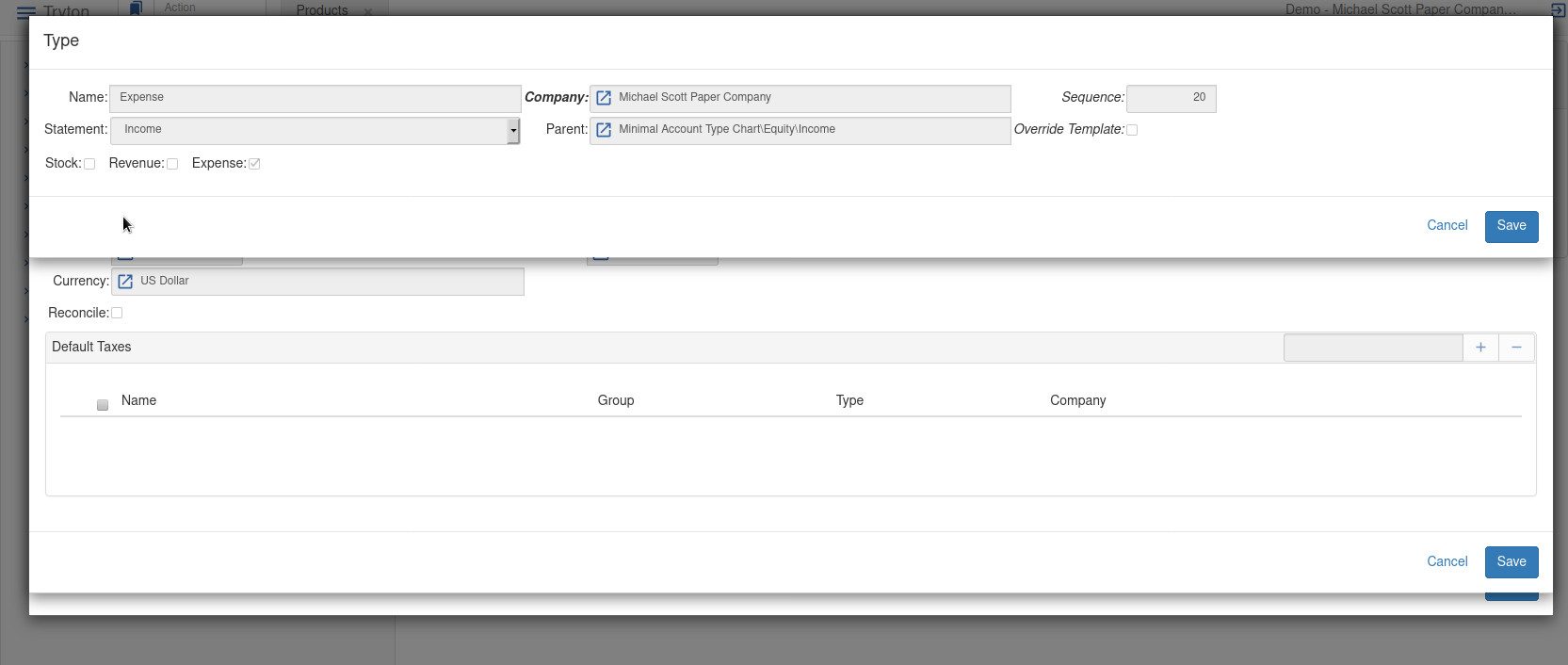
In the following images there is an idea and you can complement it with the official Tryton demo [https://demo5.4.tryton.org](https://demo5.4.tryton.org) with the user **demo** o **admin** :
Product
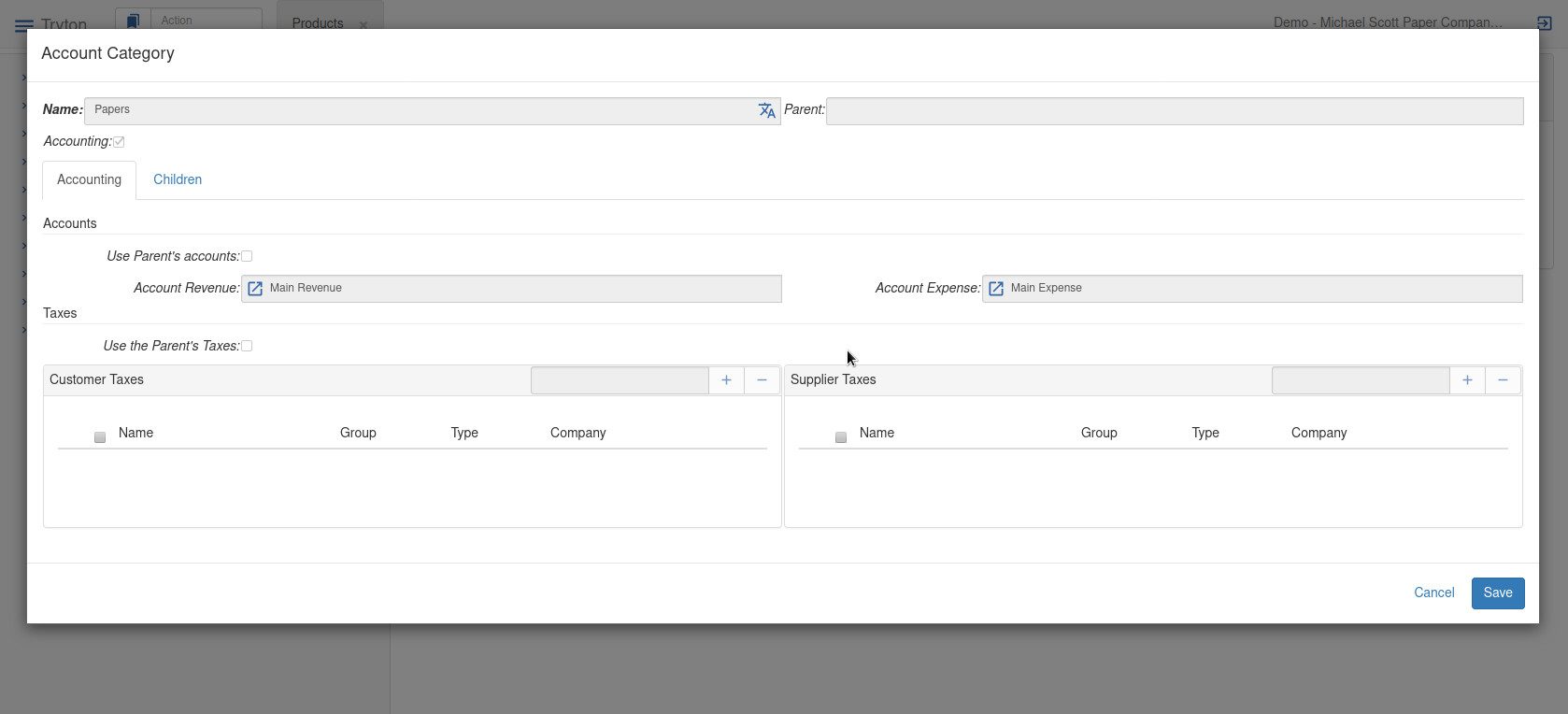
Account Category
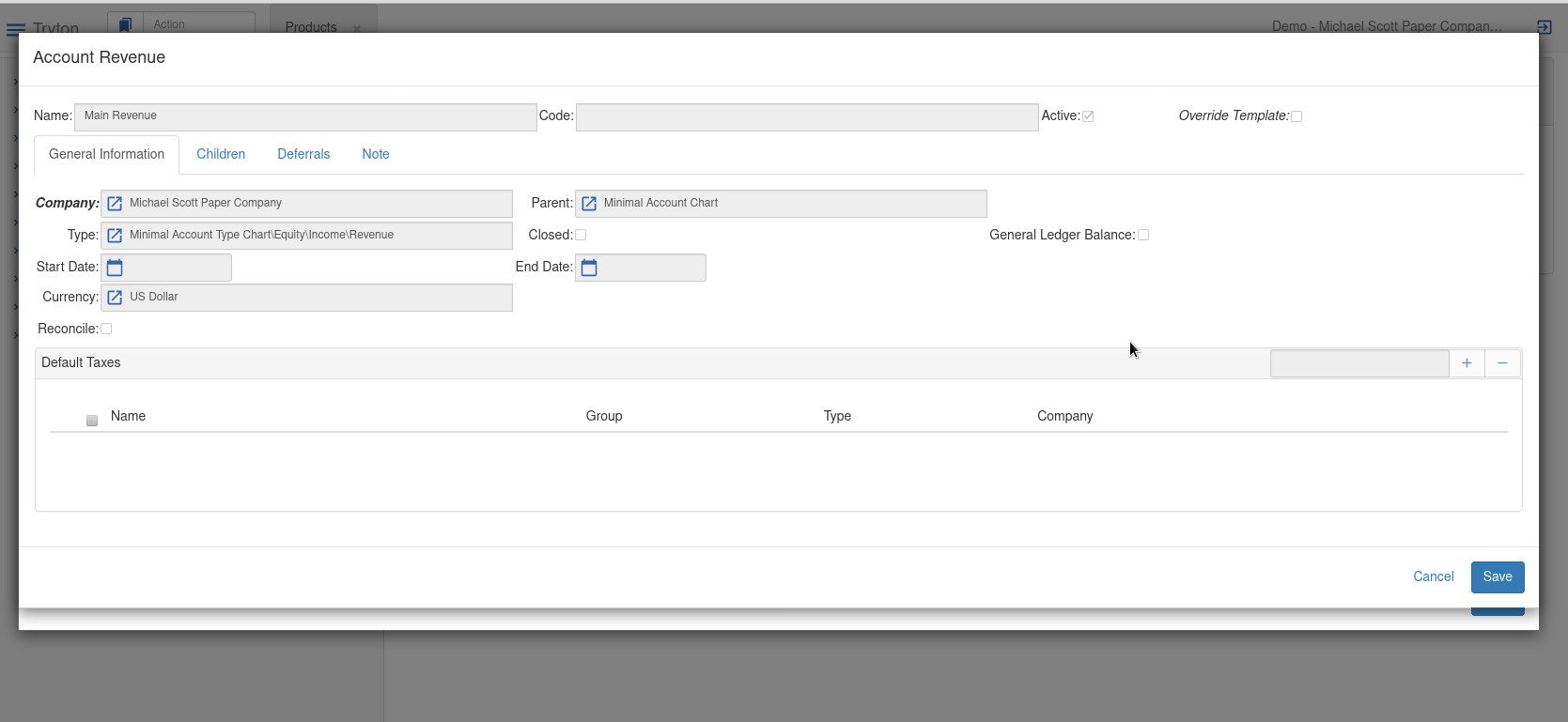
Account Revenue
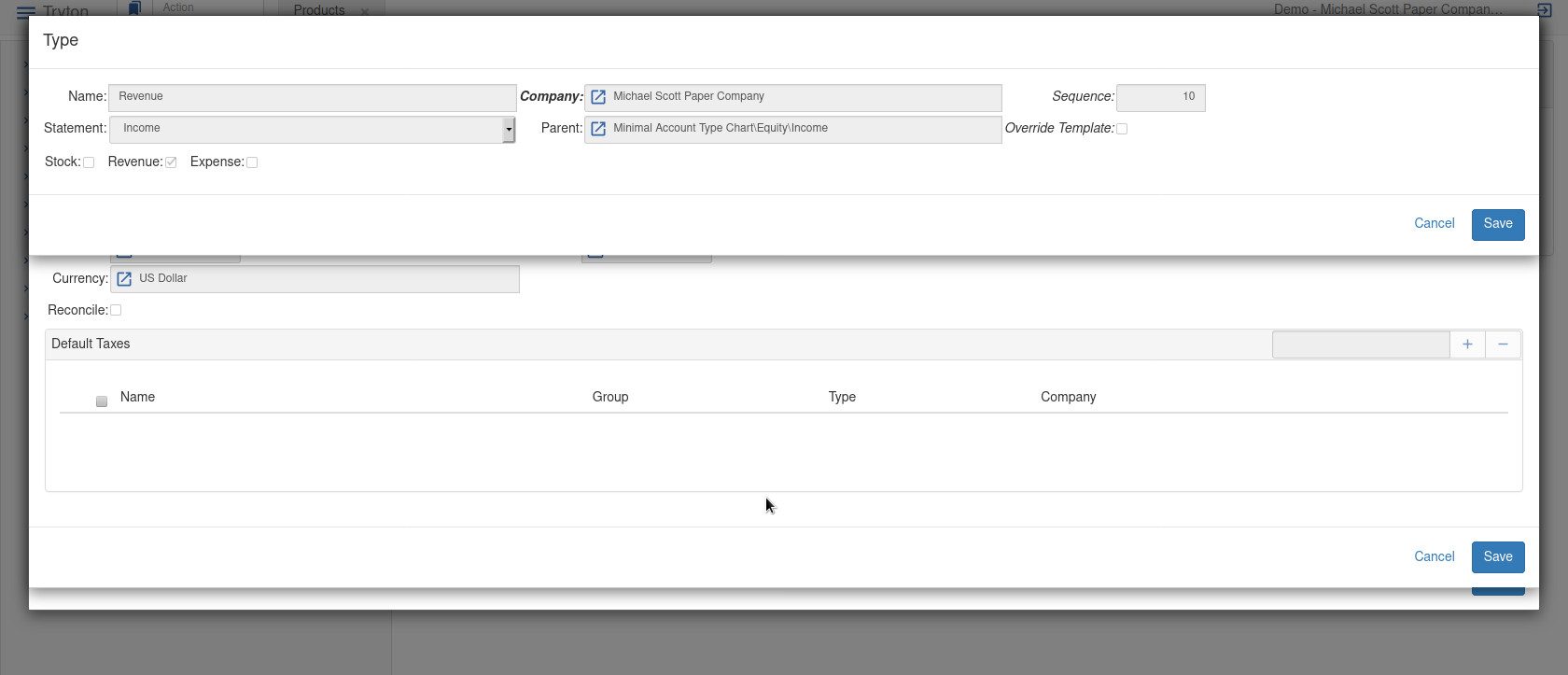
Account Type Revenue
Account Expense
Account Type Expense
---
### Author:  [@mtninvzub](https://discuss.tryton.org/u/mtninvzub)
#### Post date: [October 30, 2020, 6:07am UTC](https://discuss.tryton.org/t/products-account-category/3414/3 "2020-10-30T06:07:56Z")
Many thanks Alnus. I have reproduced this and it works.
Now, I will have to go back and gain understanding.
This gives me a basis to do that.
---
### Author:  [@dave](https://discuss.tryton.org/u/dave)
#### Post date: [October 30, 2020, 10:51am UTC](https://discuss.tryton.org/t/products-account-category/3414/4 "2020-10-30T10:51:05Z")
The Account Category gets added to products by the account\_product module, so you may also want to have a look at the [account\_product documentation](https://docs.tryton.org/projects/modules-account-product/en/latest/). Which is currently being worked on and a temporary preview of it is available at [https://tryton-gsod.readthedocs.io/projects/modules-account-product/en/latest/](https://tryton-gsod.readthedocs.io/projects/modules-account-product/en/latest/)
---
### Author:  [@ced](https://discuss.tryton.org/u/ced)
#### Post date: [October 31, 2020, 8:54am UTC](https://discuss.tryton.org/t/products-account-category/3414/5 "2020-10-31T08:54:42Z")
3 posts were split to a new topic: [How to look at transaction posted to an account](https://discuss.tryton.org/t/how-to-look-at-transaction-posted-to-an-account/3424)
---
### Author:  [@system](https://discuss.tryton.org/u/system)
#### Post date: [November 30, 2020, 8:54am UTC](https://discuss.tryton.org/t/products-account-category/3414/6 "2020-11-30T08:54:43Z")
This topic was automatically closed 30 days after the last reply. New replies are no longer allowed.