# Instal sao for GNUhealth on Ubuntu 20.04
**URL:** https://discuss.tryton.org/t/instal-sao-for-gnuhealth-on-ubuntu-20-04/4370
**Category:** System Administrator
**Created:** [July 2, 2021, 1:12pm UTC](https://discuss.tryton.org/t/instal-sao-for-gnuhealth-on-ubuntu-20-04/4370 "2021-07-02T13:12:49Z")
**Posts on this page:** 20
**Page:** 1
### Author:  [@hussnaintariq](https://discuss.tryton.org/u/hussnaintariq)
#### Post date: [July 2, 2021, 1:12pm UTC](https://discuss.tryton.org/t/instal-sao-for-gnuhealth-on-ubuntu-20-04/4370/1 "2021-07-02T13:12:50Z")
Hi Concerned,
I am trying to install GNUHealth( Tryton-sao)
Install is completed successfully But on Browser I am getting following error.
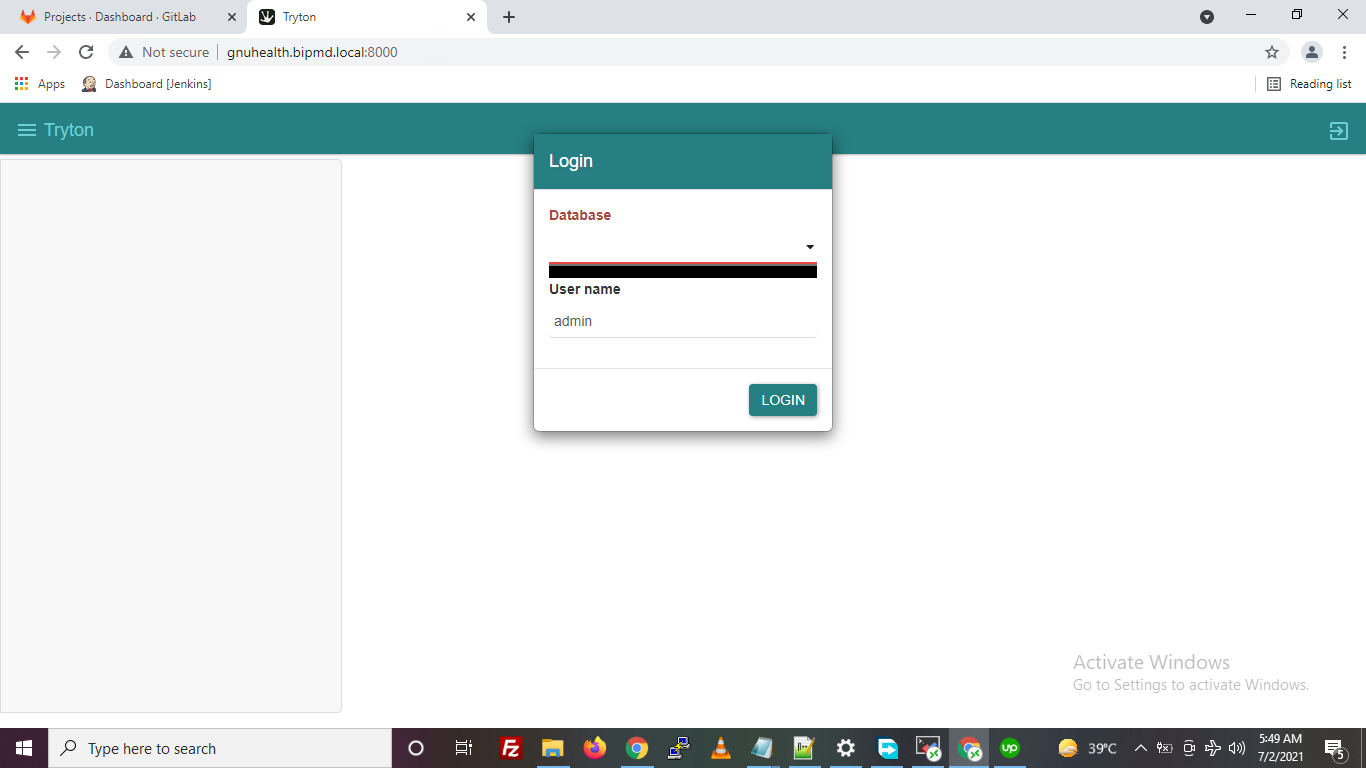
Can you Please help…
---
### Author:  [@dave](https://discuss.tryton.org/u/dave)
#### Post date: [July 2, 2021, 1:19pm UTC](https://discuss.tryton.org/t/instal-sao-for-gnuhealth-on-ubuntu-20-04/4370/2 "2021-07-02T13:19:33Z")
There are a couple of possibilities, here are a few things to check first:
You may not have setup and initialized a database to use: [How to setup a database — Tryton server](https://docs.tryton.org/projects/server/en/latest/topics/setup_database.html)
Or the database connection settings are not setup correctly, so Tryton is not able to connect to your database server: [Configuration file — Tryton server](https://docs.tryton.org/projects/server/en/latest/topics/configuration.html#database)
---
### Author:  [@ced](https://discuss.tryton.org/u/ced)
#### Post date: [July 2, 2021, 1:44pm UTC](https://discuss.tryton.org/t/instal-sao-for-gnuhealth-on-ubuntu-20-04/4370/3 "2021-07-02T13:44:25Z")
It looks like you have installed the latest sao version but as far as I know GNUHealth works only on the very old 5.0 series. So you must use the sao version of the same series.
---
### Author:  [@hussnaintariq](https://discuss.tryton.org/u/hussnaintariq)
#### Post date: [July 2, 2021, 5:26pm UTC](https://discuss.tryton.org/t/instal-sao-for-gnuhealth-on-ubuntu-20-04/4370/4 "2021-07-02T17:26:52Z")
Thanks for your replies
1. I have downgraded sao and now its same as of trytond.
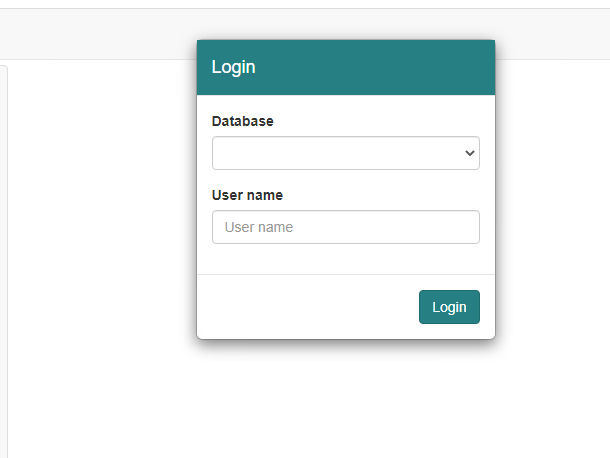
But still I am getting same issue. Also I have verified I am using correct syntax For Database connection in trytond.conf.
Sample script.
- TCP/IP connection: `postgresql://user:password@localhost:5432/`
---
### Author:  [@ced](https://discuss.tryton.org/u/ced)
#### Post date: [July 2, 2021, 7:51pm UTC](https://discuss.tryton.org/t/instal-sao-for-gnuhealth-on-ubuntu-20-04/4370/5 "2021-07-02T19:51:39Z")
> [@hussnaintariq](#):
>
> I have downgraded sao and now its same as of trytond.
This is not sao 5.0 for sure. What are the series used?
---
### Author:  [@hussnaintariq](https://discuss.tryton.org/u/hussnaintariq)
#### Post date: [July 3, 2021, 10:06am UTC](https://discuss.tryton.org/t/instal-sao-for-gnuhealth-on-ubuntu-20-04/4370/6 "2021-07-03T10:06:07Z")
Tryrond version is 5.0.36 and I downloaded [https://downloads-cdn.tryton.org/5.0/tryton-sao-5.0.36.tgz](https://downloads-cdn.tryton.org/5.0/tryton-sao-5.0.36.tgz)
---
### Author:  [@ced](https://discuss.tryton.org/u/ced)
#### Post date: [July 3, 2021, 10:19am UTC](https://discuss.tryton.org/t/instal-sao-for-gnuhealth-on-ubuntu-20-04/4370/7 "2021-07-03T10:19:10Z")
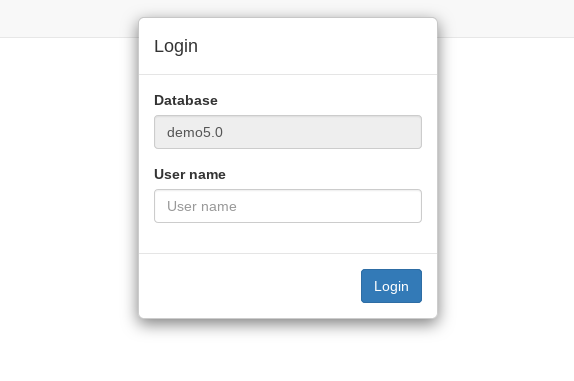
Something must have gone wrong because sao 5.0 looks like:
---
### Author:  [@dave](https://discuss.tryton.org/u/dave)
#### Post date: [July 3, 2021, 9:18pm UTC](https://discuss.tryton.org/t/instal-sao-for-gnuhealth-on-ubuntu-20-04/4370/8 "2021-07-03T21:18:14Z")
The difference in looks could be caused by the browser caching the style sheet from the previous attempts.
---
### Author:  [@hussnaintariq](https://discuss.tryton.org/u/hussnaintariq)
#### Post date: [July 6, 2021, 1:59pm UTC](https://discuss.tryton.org/t/instal-sao-for-gnuhealth-on-ubuntu-20-04/4370/9 "2021-07-06T13:59:14Z")
Hi Dave,
I think either something is wrong with Config file or I am missing some small step here.
trytond config file.
```auto
listen=0.0.0.0:8000
root = /home/gnuhealth/gnuhealth/tryton/package
#hostname = XXX.gimitec.com
[database]
uri = postgresql://localhost:5432
path = /home/gnuhealth/attach
[jsonrpc]
# Settings for the JSON-RPC network interface
data=/home/gnuhealth/gnuhealth/tryton/package[web]
listen=0.0.0.0:8000
root = /home/gnuhealth/gnuhealth/tryton/package
```
With this config file I am getting lots of 404
```auto
31999 140386502289152 [2021-07-06 13:53:59,760] INFO werkzeug 10.0.2.50 - - [06/Jul/2021 13:53:59] "GET /bower_components/bootstrap/dist/js/bootstrap.min.js HTTP/1.1" 404 -
31999 140386477373184 [2021-07-06 13:53:59,761] INFO werkzeug 10.0.2.50 - - [06/Jul/2021 13:53:59] "GET /bower_components/moment/min/moment.min.js HTTP/1.1" 404 -
31999 140386452195072 [2021-07-06 13:53:59,763] INFO werkzeug 10.0.2.50 - - [06/Jul/2021 13:53:59] "GET /bower_components/moment/min/locales.min.js HTTP/1.1" 404 -
31999 140386460587776 [2021-07-06 13:53:59,764] INFO werkzeug 10.0.2.50 - - [06/Jul/2021 13:53:59] "GET /bower_components/eonasdan-bootstrap-datetimepicker/build/js/bootstrap-datetimepicker.min.js HTTP/1.1" 404 -
31999 140386493896448 [2021-07-06 13:53:59,765] INFO werkzeug 10.0.2.50 - - [06/Jul/2021 13:53:59] "GET /bower_components/bootstrap/dist/css/bootstrap.min.css HTTP/1.1" 404 -
31999 140386460587776 [2021-07-06 13:53:59,766] INFO werkzeug 10.0.2.50 - - [06/Jul/2021 13:53:59] "GET /bower_components/bootstrap-rtl-ondemand/dist/css/bootstrap-rtl-ondemand.min.css HTTP/1.1" 404 -
31999 140386452195072 [2021-07-06 13:53:59,769] INFO werkzeug 10.0.2.50 - - [06/Jul/2021 13:53:59] "GET /bower_components/eonasdan-bootstrap-datetimepicker/build/css/bootstrap-datetimepicker.min.css HTTP/1.1" 404 -
31999 140386493896448 [2021-07-06 13:53:59,770] INFO werkzeug 10.0.2.50 - - [06/Jul/2021 13:53:59] "GET /bower_components/c3/c3.min.css HTTP/1.1" 404 -
31999 140386493896448 [2021-07-06 13:53:59,772] INFO werkzeug 10.0.2.50 - - [06/Jul/2021 13:53:59] "GET /bower_components/fullcalendar/dist/fullcalendar.min.css HTTP/1.1" 404 -
31999 140386460587776 [2021-07-06 13:53:59,773] INFO werkzeug 10.0.2.50 - - [06/Jul/2021 13:53:59] "GET /custom.css HTTP/1.1" 405 -
31999 140386452195072 [2021-07-06 13:53:59,782] INFO werkzeug 10.0.2.50 - - [06/Jul/2021 13:53:59] "GET /bower_components/gettext.js/dist/gettext.min.js HTTP/1.1" 404 -
31999 140386460587776 [2021-07-06 13:53:59,783] INFO werkzeug 10.0.2.50 - - [06/Jul/2021 13:53:59] "GET /bower_components/d3/d3.min.js HTTP/1.1" 404 -
31999 140386493896448 [2021-07-06 13:53:59,784] INFO werkzeug 10.0.2.50 - - [06/Jul/2021 13:53:59] "GET /bower_components/c3/c3.min.js HTTP/1.1" 404 -
31999 140386502289152 [2021-07-06 13:53:59,785] INFO werkzeug 10.0.2.50 - - [06/Jul/2021 13:53:59] "GET /bower_components/papaparse/papaparse.min.js HTTP/1.1" 404 -
31999 140386485503744 [2021-07-06 13:53:59,786] INFO werkzeug 10.0.2.50 - - [06/Jul/2021 13:53:59] "GET /bower_components/fullcalendar/dist/fullcalendar.min.js HTTP/1.1" 404 -
31999 140386477111040 [2021-07-06 13:53:59,787] INFO werkzeug 10.0.2.50 - - [06/Jul/2021 13:53:59] "GET /bower_components/fullcalendar/dist/locale-all.js HTTP/1.1" 404 -
31999 140386452195072 [2021-07-06 13:53:59,789] INFO werkzeug 10.0.2.50 - - [06/Jul/2021 13:53:59] "GET /bower_components/mousetrap/mousetrap.min.js HTTP/1.1" 404 -
31999 140386485503744 [2021-07-06 13:53:59,790] INFO werkzeug 10.0.2.50 - - [06/Jul/2021 13:53:59] "GET /custom.js HTTP/1.1" 405 -
31999 140386452195072 [2021-07-06 13:53:59,796] INFO werkzeug 10.0.2.50 - - [06/Jul/2021 13:53:59] "GET /bower_components/fullcalendar/dist/fullcalendar.min.js HTTP/1.1" 404 -
31999 140386452195072 [2021-07-06 13:53:59,801] INFO werkzeug 10.0.2.50 - - [06/Jul/2021 13:53:59] "GET /bower_components/fullcalendar/dist/locale-all.js HTTP/1.1" 404 -
31999 140386452195072 [2021-07-06 13:53:59,808] INFO werkzeug 10.0.2.50 - - [06/Jul/2021 13:53:59] "GET /bower_components/mousetrap/mousetrap.min.js HTTP/1.1" 404 -
31999 140386485503744 [2021-07-06 13:53:59,816] INFO werkzeug 10.0.2.50 - - [06/Jul/2021 13:53:59] "GET /bower_components/bootstrap-rtl-ondemand/dist/css/bootstrap-rtl-ondemand.min.css HTTP/1.1" 404 -
31999 140386452195072 [2021-07-06 13:53:59,818] INFO werkzeug 10.0.2.50 - - [06/Jul/2021 13:53:59] "GET /bower_components/bootstrap/dist/css/bootstrap.min.css HTTP/1.1" 404 -
31999 140386477111040 [2021-07-06 13:53:59,818] INFO werkzeug 10.0.2.50 - - [06/Jul/2021 13:53:59] "GET /bower_components/eonasdan-bootstrap-datetimepicker/build/css/bootstrap-datetimepicker.min.css HTTP/1.1" 404 -
31999 140386485503744 [2021-07-06 13:53:59,820] INFO werkzeug 10.0.2.50 - - [06/Jul/2021 13:53:59] "GET /bower_components/c3/c3.min.css HTTP/1.1" 404 -
31999 140386460587776 [2021-07-06 13:53:59,820] INFO werkzeug 10.0.2.50 - - [06/Jul/2021 13:53:59] "GET /bower_components/fullcalendar/dist/fullcalendar.min.css HTTP/1.1" 404 -
31999 140386452195072 [2021-07-06 13:53:59,836] INFO werkzeug 10.0.2.50 - - [06/Jul/2021 13:53:59] "GET /custom.js HTTP/1.1" 405 -
31999 140386452195072 [2021-07-06 13:53:59,842] INFO werkzeug 10.0.2.50 - - [06/Jul/2021 13:53:59] "GET /custom.css HTTP/1.1" 405 -
31999 140386452195072 [2021-07-06 13:53:59,857] INFO werkzeug 10.0.2.50 - - [06/Jul/2021 13:53:59] "GET /images/tryton-icon.png HTTP/1.1" 200 -
```
And on web browser I am seeing nothing.
---
### Author:  [@dave](https://discuss.tryton.org/u/dave)
#### Post date: [July 6, 2021, 2:17pm UTC](https://discuss.tryton.org/t/instal-sao-for-gnuhealth-on-ubuntu-20-04/4370/10 "2021-07-06T14:17:26Z")
It doesn’t look like your Sao installation has been configured/built properly.
The config file looks like it is missing the `[web]` section header, which should appear before the `listen`.
Also, I’m pretty sure the `[jsonrpc]` section was renamed to `[web]` at some point before release 5.0, and you seem to have a bit of a mixture of them in your config.
Does this file exist on your system:
```
/home/gnuhealth/gnuhealth/tryton/package/bower_components/bootstrap/dist/js/bootstrap.min.js
```
If so, try:
```auto
[web]
listen=0.0.0.0:8000
root = /home/gnuhealth/gnuhealth/tryton/package
[database]
uri = postgresql://localhost:5432
path = /home/gnuhealth/attach
```
---
### Author:  [@hussnaintariq](https://discuss.tryton.org/u/hussnaintariq)
#### Post date: [July 7, 2021, 10:09am UTC](https://discuss.tryton.org/t/instal-sao-for-gnuhealth-on-ubuntu-20-04/4370/11 "2021-07-07T10:09:41Z")
> [@dave](#):
>
> ```auto
> [web]
> listen=0.0.0.0:8000
> root = /home/gnuhealth/gnuhealth/tryton/package
>
> [database]
> uri = postgresql://localhost:5432
> path = /home/gnuhealth/attach
>
> ```
No, There is no such directory bower\_components.

to install SAO I have performed following steps
```auto
pip install trytond
$ pip install tryton
curl -sL https://deb.nodesource.com/setup_14.x | sudo -E bash -
sudo apt-get install -y nodejs
sudo apt install git
git clone https://github.com/tryton/sao.git
cd sao
sudo npm install -g grunt-cli sudo npm install -g bower
npm install bower install grunt
Really appreciate your help
```
---
### Author:  [@dave](https://discuss.tryton.org/u/dave)
#### Post date: [July 7, 2021, 10:21am UTC](https://discuss.tryton.org/t/instal-sao-for-gnuhealth-on-ubuntu-20-04/4370/12 "2021-07-07T10:21:10Z")
To build the web client try:
```
git clone -b 5.0 https://github.com/tryton/sao.git
cd sao
npm install --production
npx grunt
```
---
### Author:  [@hussnaintariq](https://discuss.tryton.org/u/hussnaintariq)
#### Post date: [July 7, 2021, 11:23am UTC](https://discuss.tryton.org/t/instal-sao-for-gnuhealth-on-ubuntu-20-04/4370/13 "2021-07-07T11:23:51Z")
> [@dave](#):
>
> `npx grunt`
Thanks for your quick response.
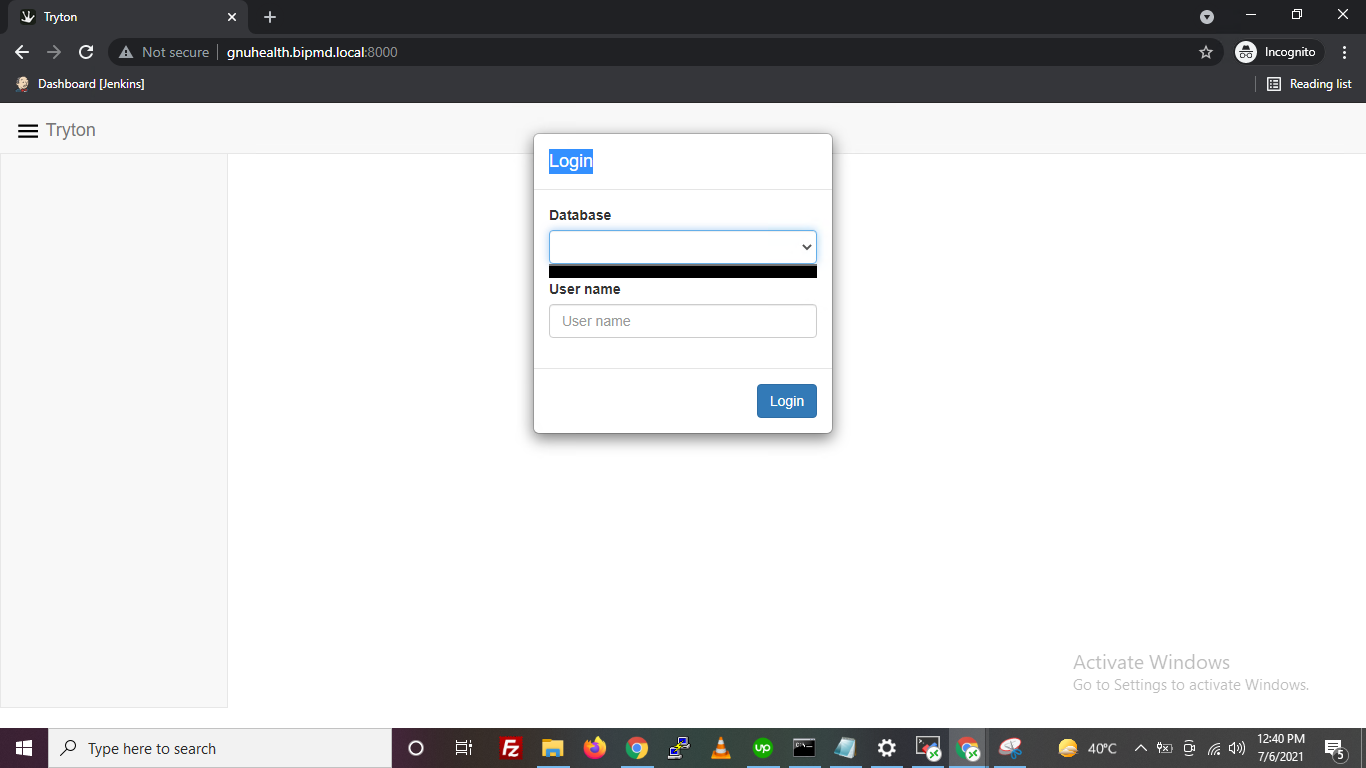
Now I am back to problem 1 No db in drop down. and lots of 405 ( method not allowed)
Server logs:
>
---
### Author:  [@dave](https://discuss.tryton.org/u/dave)
#### Post date: [July 7, 2021, 11:40am UTC](https://discuss.tryton.org/t/instal-sao-for-gnuhealth-on-ubuntu-20-04/4370/14 "2021-07-07T11:40:41Z")
> [@hussnaintariq](#):
>
> Now I am back to problem 1 No db in drop down. and lots of 405 ( method not allowed)
The only `405` errors that I can see in the server logs are for `custom.css` and `custom.js` which allow you to customize the behaviour and styling of the client. These two files are not required to use the web client, so can be ignored. _(Note, it is probably better to post the logs directly into the topic instead of using pastebin so this topic is useful even when the pastebin link goes away)._
The lack of database is because either `trytond` cannot connect to your database server, or none of the databases on the server have been initialised for use with Tryton.
What is the result of running? (replace ``, and `` with your config file path and database’s name):
```
trytond-admin -c -d --all
```
---
### Author:  [@ced](https://discuss.tryton.org/u/ced)
#### Post date: [July 7, 2021, 11:42am UTC](https://discuss.tryton.org/t/instal-sao-for-gnuhealth-on-ubuntu-20-04/4370/15 "2021-07-07T11:42:11Z")
I guess because you have installed globally the `postinstall` can not be run.
You must then run yourself: `npx bower install`.
---
### Author:  [@hussnaintariq](https://discuss.tryton.org/u/hussnaintariq)
#### Post date: [July 7, 2021, 1:03pm UTC](https://discuss.tryton.org/t/instal-sao-for-gnuhealth-on-ubuntu-20-04/4370/16 "2021-07-07T13:03:33Z")
Output:
gnuhealth@gnuhealth:~/gnuhealth/tryton/server/config $ trytond-admin -c trytond.conf -d health --all
```auto
Traceback (most recent call last):
File "/usr/bin/trytond-admin", line 21, in
admin.run(options)
File "/home/gnuhealth/gnuhealth/tryton/server/trytond-5.0.36/trytond/admin.py", line 25, in run
with Transaction().start(db_name, 0, _nocache=True):
File "/home/gnuhealth/gnuhealth/tryton/server/trytond-5.0.36/trytond/transaction.py", line 93, in start
database = Database(database_name).connect()
File "/home/gnuhealth/gnuhealth/tryton/server/trytond-5.0.36/trytond/backend/postgresql/database.py", line 122, in __new__
inst._connpool = ThreadedConnectionPool(
File "/home/gnuhealth/.local/lib/python3.8/site-packages/psycopg2/pool.py", line 161, in __init__
AbstractConnectionPool. __init__ (
File "/home/gnuhealth/.local/lib/python3.8/site-packages/psycopg2/pool.py", line 59, in __init__
self._connect()
File "/home/gnuhealth/.local/lib/python3.8/site-packages/psycopg2/pool.py", line 63, in _connect
conn = psycopg2.connect(*self._args, **self._kwargs)
File "/home/gnuhealth/.local/lib/python3.8/site-packages/psycopg2/ __init__.py", line 122, in connect
conn = _connect(dsn, connection_factory=connection_factory, **kwasync)
psycopg2.OperationalError: fe_sendauth: no password supplied
```
---
### Author:  [@ced](https://discuss.tryton.org/u/ced)
#### Post date: [July 7, 2021, 1:11pm UTC](https://discuss.tryton.org/t/instal-sao-for-gnuhealth-on-ubuntu-20-04/4370/17 "2021-07-07T13:11:54Z")
The database is configured to require password authentication but your `trytond.conf` does not provide one.
See [https://docs.tryton.org/projects/server/en/5.0/topics/configuration.html#uri](https://docs.tryton.org/projects/server/en/5.0/topics/configuration.html#uri)
---
### Author:  [@hussnaintariq](https://discuss.tryton.org/u/hussnaintariq)
#### Post date: [July 7, 2021, 2:03pm UTC](https://discuss.tryton.org/t/instal-sao-for-gnuhealth-on-ubuntu-20-04/4370/18 "2021-07-07T14:03:46Z")
> [@dave](#):
>
> `trytond-admin -c -d --all`
Thanks for your help.
Now I am getting error in loging in
```auto
41060 140322412615488 [2021-07-07 14:00:30,124] INFO werkzeug * Running on http://0.0.0.0:8000/ (Press CTRL+C to quit)
41060 140322036651776 [2021-07-07 14:00:37,569] INFO werkzeug 10.0.2.50 - - [07/Jul/2021 14:00:37] "GET / HTTP/1.1" 200 -
41060 140322028259072 [2021-07-07 14:00:37,653] INFO werkzeug 10.0.2.50 - - [07/Jul/2021 14:00:37] "GET /custom.js HTTP/1.1" 405 -
41060 140322036651776 [2021-07-07 14:00:37,654] INFO werkzeug 10.0.2.50 - - [07/Jul/2021 14:00:37] "GET /custom.css HTTP/1.1" 405 -
41060 140322028259072 [2021-07-07 14:00:38,626] INFO werkzeug 10.0.2.50 - - [07/Jul/2021 14:00:38] "GET /custom.js HTTP/1.1" 405 -
41060 140322036651776 [2021-07-07 14:00:38,631] INFO werkzeug 10.0.2.50 - - [07/Jul/2021 14:00:38] "GET /custom.css HTTP/1.1" 405 -
41060 140322036651776 [2021-07-07 14:00:38,682] INFO werkzeug 10.0.2.50 - - [07/Jul/2021 14:00:38] "GET /locale/en_US.json HTTP/1.1" 404 -
41060 140322036651776 [2021-07-07 14:00:38,696] INFO werkzeug 10.0.2.50 - - [07/Jul/2021 14:00:38] "GET /locale/en.json HTTP/1.1" 404 -
41060 140322036651776 [2021-07-07 14:00:38,802] INFO werkzeug 10.0.2.50 - - [07/Jul/2021 14:00:38] "POST / HTTP/1.1" 200 -
41060 140322036651776 [2021-07-07 14:00:44,613] INFO werkzeug 10.0.2.50 - - [07/Jul/2021 14:00:44] "POST /health/ HTTP/1.1" 200 -
41060 140322036651776 [2021-07-07 14:00:46,998] ERROR trytond.security login failed for 'postgres' from '10.0.2.50' on database 'health'
41060 140322036651776 [2021-07-07 14:00:46,999] INFO werkzeug 10.0.2.50 - - [07/Jul/2021 14:00:46] "POST /health/ HTTP/1.1" 401 -
41060 140322036651776 [2021-07-07 14:00:48,012] INFO werkzeug 10.0.2.50 - - [07/Jul/2021 14:00:48] "POST /health/ HTTP/1.1" 200 -
41060 140322036651776 [2021-07-07 14:00:51,743] ERROR trytond.security login failed for 'postgres' from '10.0.2.50' on database 'health'
41060 140322036651776 [2021-07-07 14:00:51,744] INFO werkzeug 10.0.2.50 - - [07/Jul/2021 14:00:51] "POST /health/ HTTP/1.1" 401 -
41060 140322036651776 [2021-07-07 14:00:54,759] INFO werkzeug 10.0.2.50 - - [07/Jul/2021 14:00:54] "POST /health/ HTTP/1.1" 200 -
41060 140322036651776 [2021-07-07 14:01:01,367] ERROR trytond.security login failed for 'postgres' from '10.0.2.50' on database 'health'
```
---
### Author:  [@dave](https://discuss.tryton.org/u/dave)
#### Post date: [July 7, 2021, 8:58pm UTC](https://discuss.tryton.org/t/instal-sao-for-gnuhealth-on-ubuntu-20-04/4370/19 "2021-07-07T20:58:24Z")
It looks like you are trying to login as a `postgres` user.
On a newly initialized Tryton installation there is only one user - it’s user name is `admin`, and the password is the one you set when you ran the `trytond-admin` command.
---
### Author:  [@hussnaintariq](https://discuss.tryton.org/u/hussnaintariq)
#### Post date: [July 9, 2021, 1:33pm UTC](https://discuss.tryton.org/t/instal-sao-for-gnuhealth-on-ubuntu-20-04/4370/20 "2021-07-09T13:33:41Z")
> [@hussnaintariq](#):
>
> `postgresql://user:password@localhost:5432/`
Thanks for Your help I really appreciate it. I am successfully able to launch and run the app.
Only issue I am facing right now is When I try to connect a remote DB and run
trytond-admin -c \ -d --all
Output is an exception and I don’t know the cause.
[Next page](https://discuss.tryton.org/t/instal-sao-for-gnuhealth-on-ubuntu-20-04/4370.md?page=2)