# I can't open my webapp
**URL:** https://discuss.tryton.org/t/i-cant-open-my-webapp/7811
**Category:** Developer
**Created:** [September 8, 2024, 5:30am UTC](https://discuss.tryton.org/t/i-cant-open-my-webapp/7811 "2024-09-08T05:30:25Z")
**Posts on this page:** 3
**Page:** 1
### Author:  [@Siobhan](https://discuss.tryton.org/u/Siobhan)
#### Post date: [September 8, 2024, 5:30am UTC](https://discuss.tryton.org/t/i-cant-open-my-webapp/7811/1 "2024-09-08T05:30:25Z")
```auto
```
I can’t seem to get this two do their action, is this something wrong?
```auto
def action_initialize_face(self):
# Check user permission (optional)
user_id = self.context.get('user')
if not user_id:
raise UserError('User context is not available.')
# Open the web application for face recognition initialization
for record in self:
url = (f"http://localhost:8080/initialize-face?"
f"employee_id={record.id}")
webbrowser.open(url)
def action_open_webapp(self):
# Check user permission (optional)
user_id = self.context.get('user')
if not user_id:
raise UserError('User context is not available.')
# Open the web application with parameters
for record in self:
url = (f"http://localhost:8080/face-recognition?"
f"employee_id={record.id}&"
f"face_id={record.face_recognition_id}")
webbrowser.open(url)
```
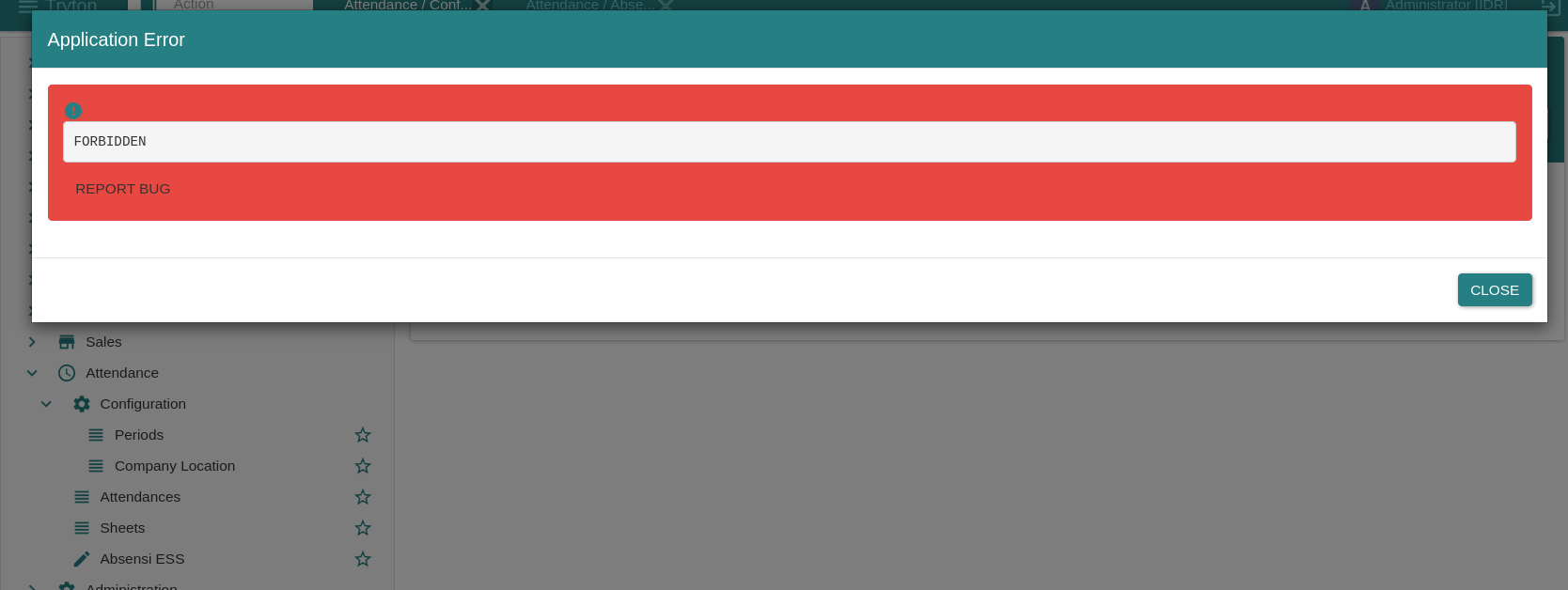
This what happens in tryton:
---
### Author:  [@ced](https://discuss.tryton.org/u/ced)
#### Post date: [September 8, 2024, 9:21am UTC](https://discuss.tryton.org/t/i-cant-open-my-webapp/7811/2 "2024-09-08T09:21:25Z")
The buttons must be declared on the [`ModelView._buttons`](https://docs.tryton.org/latest/server/ref/models.html#trytond.model.ModelView._buttons) to allow the client to call them via RPC.
Also you should not call `webbrower.open` on the module side because it is run on the server side. So it is the browser of the server that will be launched.
I suspect that you want the user to open a the URL from the form in the client. Then you must use a [`Function` field](https://docs.tryton.org/latest/server/ref/fields.html#function) that compute the value of a [`Char` field](https://docs.tryton.org/latest/server/ref/fields.html#char) which is the URL. And in the `form` view instead of buttons, you display the `Function` field with the widget `url`.
---
### Author:  [@Siobhan](https://discuss.tryton.org/u/Siobhan)
#### Post date: [September 8, 2024, 1:23pm UTC](https://discuss.tryton.org/t/i-cant-open-my-webapp/7811/3 "2024-09-08T13:23:05Z")
Could you give me an example of how to use that ModelView? I am rather clueless.