# How to use the “Default Locations” on Production’s output moves?
**URL:** https://discuss.tryton.org/t/how-to-use-the-default-locations-on-production-s-output-moves/7355
**Category:** User
**Tags:** production, stock
**Created:** [June 3, 2024, 2:20pm UTC](https://discuss.tryton.org/t/how-to-use-the-default-locations-on-production-s-output-moves/7355 "2024-06-03T14:20:18Z")
**Posts on this page:** 5
**Page:** 1
### Author:  [@jmn](https://discuss.tryton.org/u/jmn)
#### Post date: [June 3, 2024, 2:20pm UTC](https://discuss.tryton.org/t/how-to-use-the-default-locations-on-production-s-output-moves/7355/1 "2024-06-03T14:20:18Z")
I’m trying to use the production default location feature for production’s output moves, but I’m missing something with the `stock\_product\_location\_ module:
Suite du sujet [How to use the “Default Locations”?](https://discuss.tryton.org/t/how-to-use-the-default-locations/3647/2) :
> [@How to use the “Default Locations”?](https://discuss.tryton.org/t/how-to-use-the-default-locations/3647/6):
>
> You should not modify the location on the first step (incommig moves) but after you click on the receive button you will see that the default location is set as destination location of the inventory moves (second tab of the form).
> [@How to use the “Default Locations”?](https://discuss.tryton.org/t/how-to-use-the-default-locations/3647/2):
>
> Those locations are used as default locations for:
>
> - Supplier Shipments
> - Customer returns
> - **Production’s output moves**
My product is configured like this:
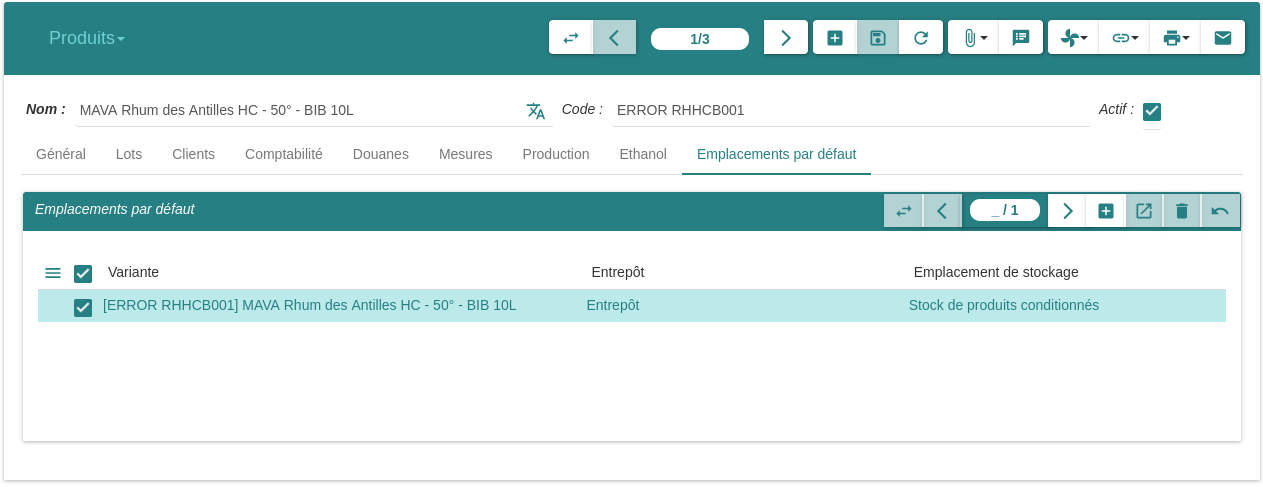
But the production don’t choose the default location of the product:
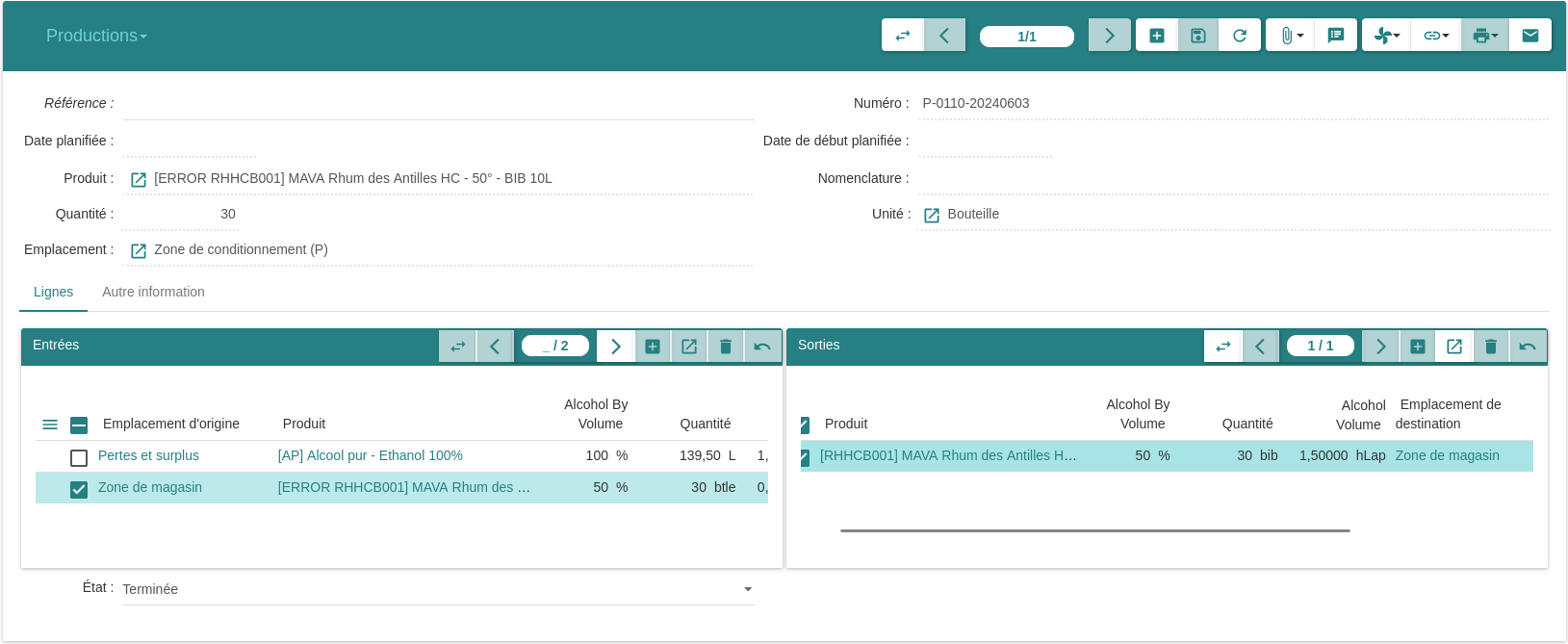
What’s the matter, please?
---
### Author:  [@ced](https://discuss.tryton.org/u/ced)
#### Post date: [June 3, 2024, 4:05pm UTC](https://discuss.tryton.org/t/how-to-use-the-default-locations-on-production-s-output-moves/7355/2 "2024-06-03T16:05:45Z")
The default output location is set only if you use a BOM.
If you enter manually the output moves then it is up to the user to fill the proper location.
---
### Author:  [@pokoli](https://discuss.tryton.org/u/pokoli)
#### Post date: [June 3, 2024, 4:22pm UTC](https://discuss.tryton.org/t/how-to-use-the-default-locations-on-production-s-output-moves/7355/3 "2024-06-03T16:22:56Z")
> [@ced](#):
>
> If you enter manually the output moves then it is up to the user to fill the proper location.
Won’t be better to set the default location to avoid errors?
The user can always update it if required.
Also its quite anoying to always set the same from and to location when manually creating moves on productions.
---
### Author:  [@jmn](https://discuss.tryton.org/u/jmn)
#### Post date: [June 3, 2024, 9:08pm UTC](https://discuss.tryton.org/t/how-to-use-the-default-locations-on-production-s-output-moves/7355/4 "2024-06-03T21:08:55Z")
> [@ced](#):
>
> The default output location is set only if you use a BOM.
👍🏾 It works, merci !
---
### Author:  [@system](https://discuss.tryton.org/u/system)
#### Post date: [July 3, 2024, 9:09pm UTC](https://discuss.tryton.org/t/how-to-use-the-default-locations-on-production-s-output-moves/7355/5 "2024-07-03T21:09:54Z")
This topic was automatically closed 30 days after the last reply. New replies are no longer allowed.