# How to import structure like this
**URL:** https://discuss.tryton.org/t/how-to-import-structure-like-this/8109
**Category:** User
**Created:** [December 10, 2024, 4:10am UTC](https://discuss.tryton.org/t/how-to-import-structure-like-this/8109 "2024-12-10T04:10:50Z")
**Posts on this page:** 4
**Page:** 1
### Author:  [@mahija](https://discuss.tryton.org/u/mahija)
#### Post date: [December 10, 2024, 4:10am UTC](https://discuss.tryton.org/t/how-to-import-structure-like-this/8109/1 "2024-12-10T04:10:50Z")
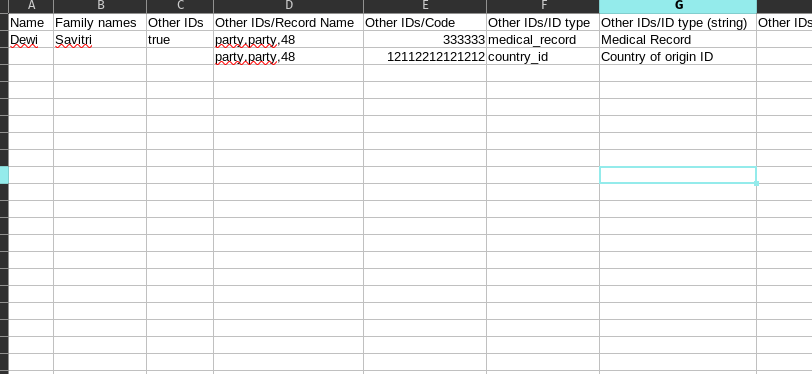
Help meee. How to import structure like this:
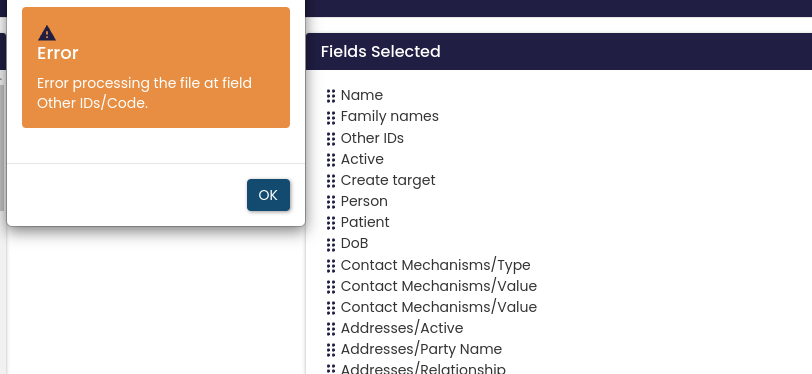
I was trying to import that and this happen:
---
### Author:  [@udono](https://discuss.tryton.org/u/udono)
#### Post date: [December 10, 2024, 8:28am UTC](https://discuss.tryton.org/t/how-to-import-structure-like-this/8109/2 "2024-12-10T08:28:34Z")
Hi,
fiddle out an import setup is always a little tricky. I don’t know your data model, especially the _other ids_ conception. But in your _import field selected_ I only see \*Other IDs" but you try to import many more columns without correctly mapping to a Tryton field. Your actual mapping looks like this:
| Import table column | …maps to Tryton field |
| | (Import Fields Selected) |
|— | — | — | —|
| Others IDs/Record Name | Other IDs |
| Others IDs/Code | Active |
| Others IDs/ID type | Create Target |
| Others IDs/ID type (string) | Person |
The import _fields selected_ definition must be equal to the fields in the csv table.
Usually I start Import definition with the following guidelines:
1. Create a small set of records to import
2. Simplify until it works → delete all columns with a problem
3. Add the problematic columns step by step.
If I need to import more complicated things, I always write a proteus script.
---
### Author:  [@mahija](https://discuss.tryton.org/u/mahija)
#### Post date: [December 10, 2024, 9:18am UTC](https://discuss.tryton.org/t/how-to-import-structure-like-this/8109/3 "2024-12-10T09:18:05Z")
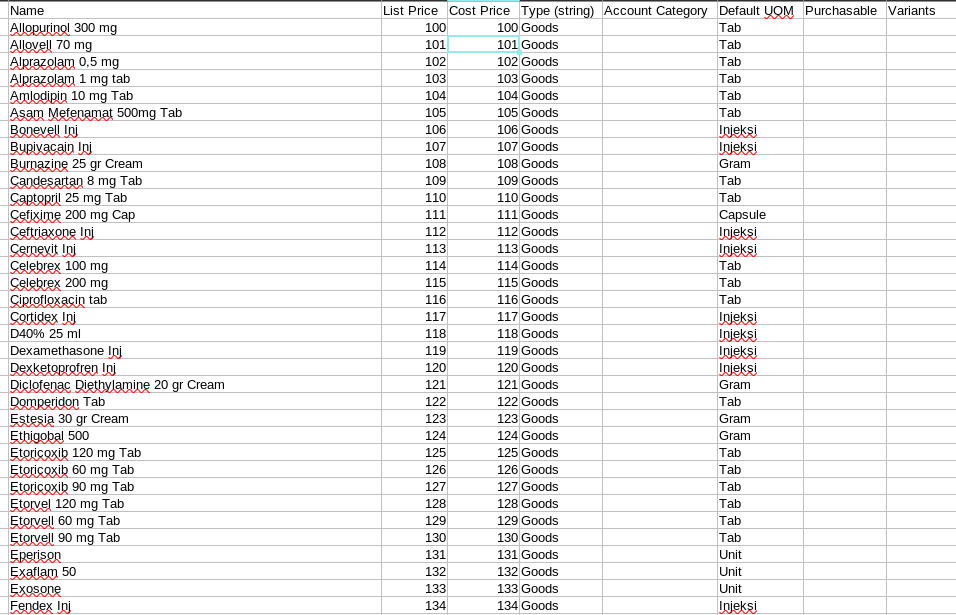
I make the simple structure:
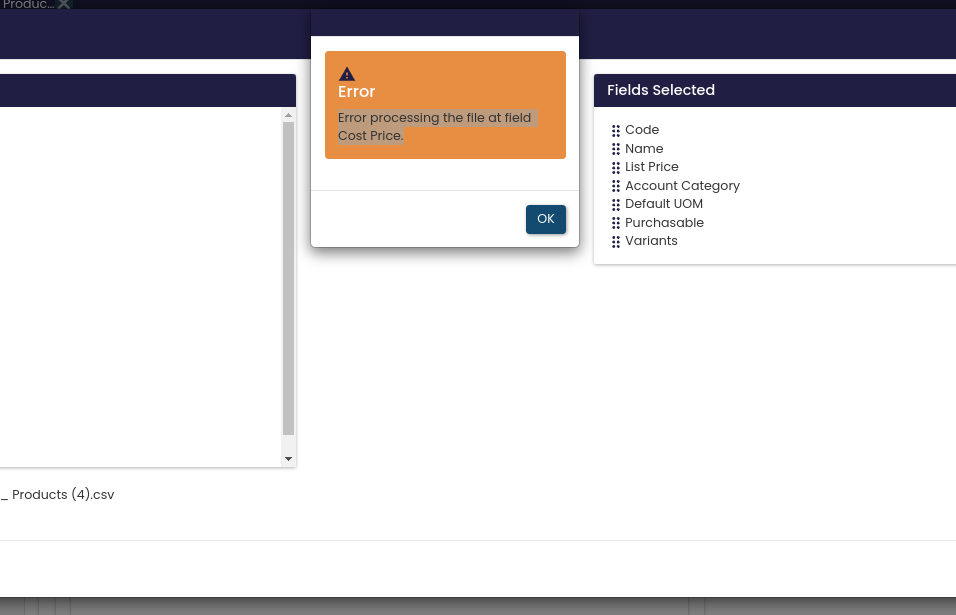
And it’s still showing me this
---
### Author:  [@udono](https://discuss.tryton.org/u/udono)
#### Post date: [December 10, 2024, 10:56am UTC](https://discuss.tryton.org/t/how-to-import-structure-like-this/8109/4 "2024-12-10T10:56:28Z")
again, the columns of the sheet to import are different from the fields in _Fields Selected_. It looks like you export with _cost price, Type_ but did not remove these columns. Also the cost price can’t be imported always. Sometime you need to run the Product action _Update Cost Price_.
Please have a look at [Client Usage — Tryton desktop client](https://docs.tryton.org/latest/client-desktop/usage.html#toolbar-import-data) where is clearly stated, that Fields to Import are the “Exact sequence of all columns in the CSV file.”
IMHO it would be a great enhancement to Tryton, to have a “None” _Fields to Import_, which just skips columns from import.