# Display account move lines from given account
**URL:** https://discuss.tryton.org/t/display-account-move-lines-from-given-account/3880
**Category:** User
**Tags:** accounting
**Created:** [March 2, 2021, 3:04pm UTC](https://discuss.tryton.org/t/display-account-move-lines-from-given-account/3880 "2021-03-02T15:04:01Z")
**Posts on this page:** 5
**Page:** 1
### Author:  [@Marc](https://discuss.tryton.org/u/Marc)
#### Post date: [March 2, 2021, 3:04pm UTC](https://discuss.tryton.org/t/display-account-move-lines-from-given-account/3880/1 "2021-03-02T15:04:01Z")
Hello,
From newbie …
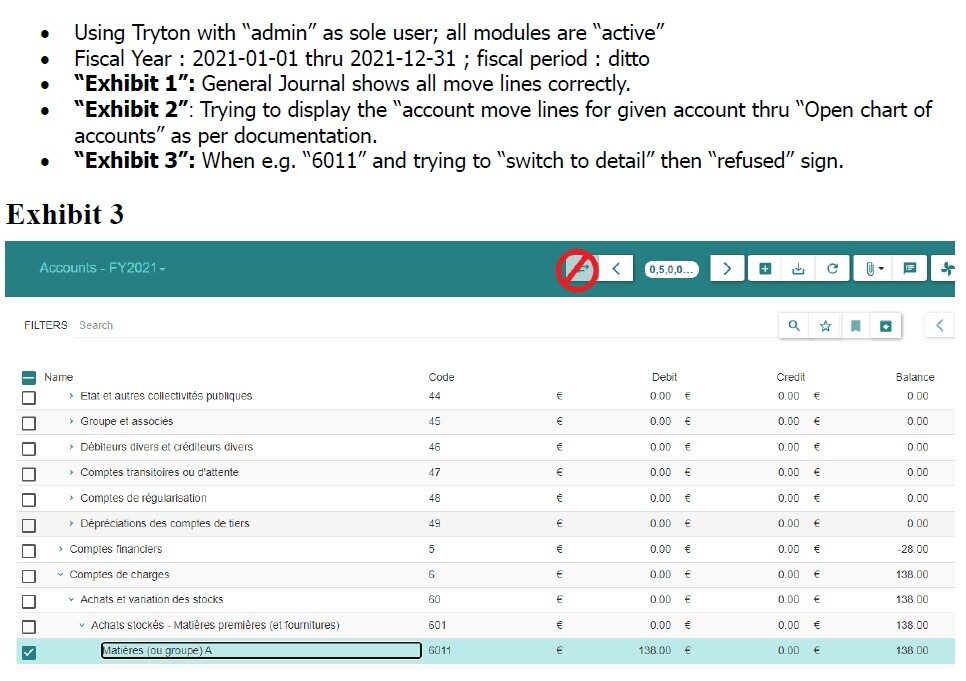
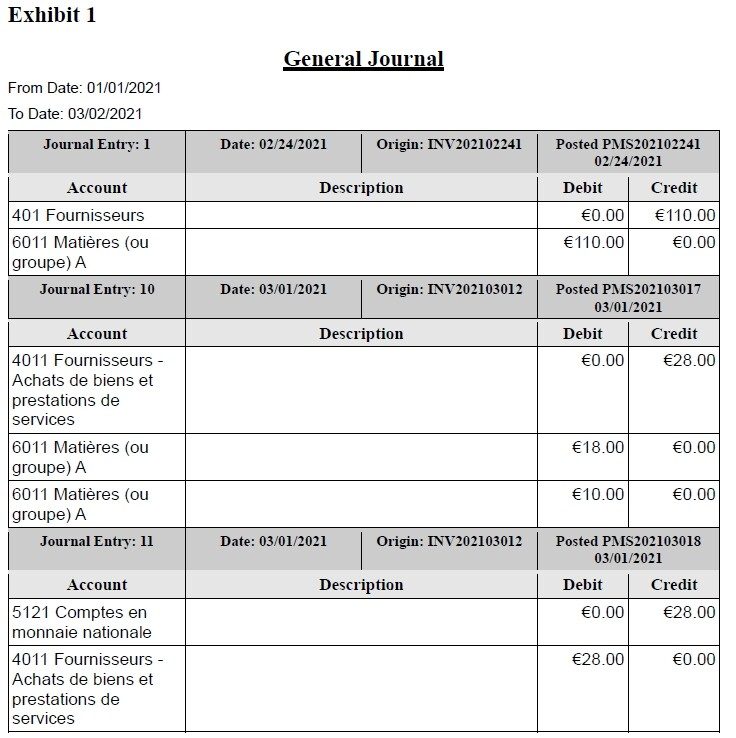
“Open chart of accounts” does not display detail transaction statements (account move lines) for given account / fiscal year
See attached imges for scenario.
Thank you
---
### Author:  [@pokoli](https://discuss.tryton.org/u/pokoli)
#### Post date: [March 2, 2021, 3:14pm UTC](https://discuss.tryton.org/t/display-account-move-lines-from-given-account/3880/2 "2021-03-02T15:14:11Z")
> [@Marc](#):
>
> Hello,
>
> From newbie …
Hi Marc, do not excuse to be a newbie, we all have been a newbie sometime 😉
Welcome to the forum!
> [@Marc](#):
>
> “Open chart of accounts” does not display detail transaction statements (account move lines) for given account / fiscal yea
Inded if you want to open the detail of the moves it’s better to open the General Ledger to see the amounts of an account. This can be found on the [Accounting → Reporting → General Ledger](https://demo.tryton.org/model/account.general_ledger.account;context_model=account.general_ledger.account.context) menu.
From there you can doble click to Open the detail per party or all the move lines of the related account.
You can have the full details on the [Using the general ledger documentation](https://docs.tryton.org/projects/modules-account/en/latest/usage/report.html#using-the-general-ledger).
---
### Author:  [@ced](https://discuss.tryton.org/u/ced)
#### Post date: [March 2, 2021, 3:16pm UTC](https://discuss.tryton.org/t/display-account-move-lines-from-given-account/3880/3 "2021-03-02T15:16:19Z")
> [@pokoli](#):
>
> Inded if you want to open the detail of the moves it’s better to open the General Ledger to see the amounts of an account.
But you can also double-click on a row of the chart of account.
---
### Author:  [@Marc](https://discuss.tryton.org/u/Marc)
#### Post date: [March 2, 2021, 3:25pm UTC](https://discuss.tryton.org/t/display-account-move-lines-from-given-account/3880/4 "2021-03-02T15:25:58Z")
**Double click on the given account row works** for both “Open Chart of Accounts” and “General Ledger”. The “Switch” icon is not meant to be used for this scenario.
Thank you.
---
### Author:  [@system](https://discuss.tryton.org/u/system)
#### Post date: [April 1, 2021, 3:26pm UTC](https://discuss.tryton.org/t/display-account-move-lines-from-given-account/3880/5 "2021-04-01T15:26:03Z")
This topic was automatically closed 30 days after the last reply. New replies are no longer allowed.