# Configure printer for works with tryton
**URL:** https://discuss.tryton.org/t/configure-printer-for-works-with-tryton/1403
**Category:** User
**Created:** [May 20, 2019, 9:11pm UTC](https://discuss.tryton.org/t/configure-printer-for-works-with-tryton/1403 "2019-05-20T21:11:28Z")
**Posts on this page:** 5
**Page:** 1
### Author:  [@iehoshia](https://discuss.tryton.org/u/iehoshia)
#### Post date: [May 20, 2019, 9:11pm UTC](https://discuss.tryton.org/t/configure-printer-for-works-with-tryton/1403/1 "2019-05-20T21:11:28Z")
Hi,
I will help if someone let me know how to configure a predeterminated printer in tryton. I have sometimes more than 1 printer in the computer, so I need to specify in which tryton should print.
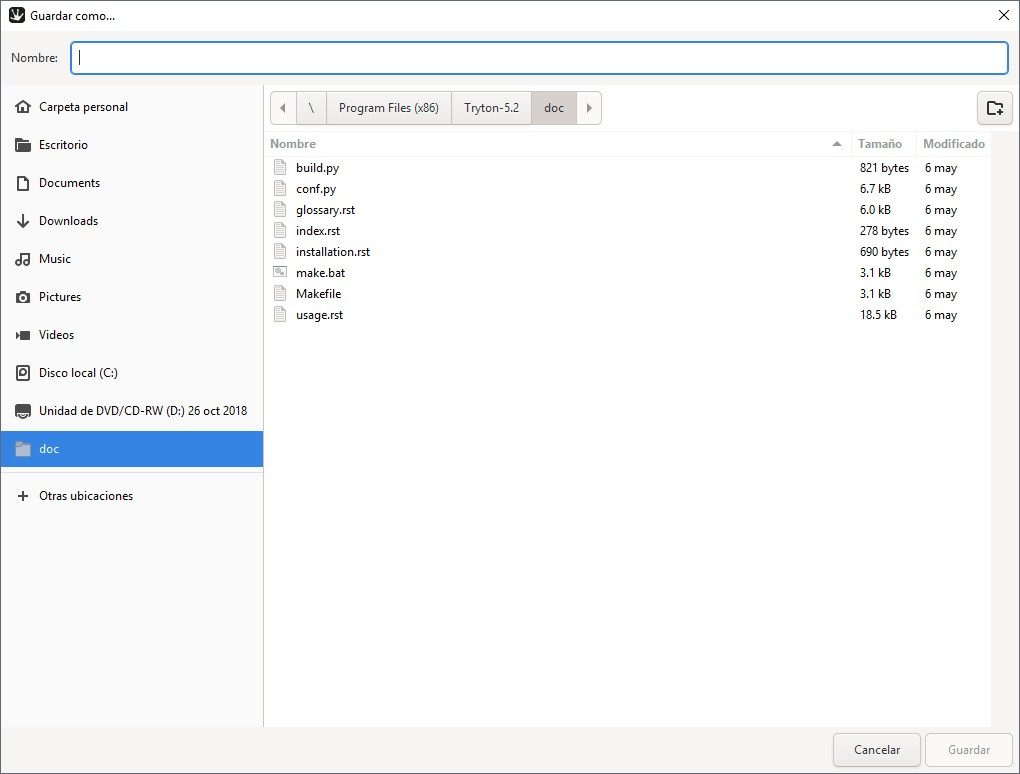
I can’t find where to configure in the client, but after I use the icon of print and select the document, I receive the see screen.
---
### Author:  [@ced](https://discuss.tryton.org/u/ced)
#### Post date: [May 21, 2019, 8:20am UTC](https://discuss.tryton.org/t/configure-printer-for-works-with-tryton/1403/2 "2019-05-21T08:20:11Z")
The direct print button works only on Windows because it has a standard command for that.
On Linux or MacOS, there is no such standard so we use respectively `xdg-open` and `open`. And if they fail, it fallback to just save the document.
---
### Author:  [@iehoshia](https://discuss.tryton.org/u/iehoshia)
#### Post date: [May 21, 2019, 4:57pm UTC](https://discuss.tryton.org/t/configure-printer-for-works-with-tryton/1403/3 "2019-05-21T16:57:43Z")
Thanks for the info. The trouble comes when I update to 5.2, it works with 4.8 and 5.0 but not with the last update, I was thinking that maybe some config is missing.
---
### Author:  [@ced](https://discuss.tryton.org/u/ced)
#### Post date: [May 21, 2019, 5:14pm UTC](https://discuss.tryton.org/t/configure-printer-for-works-with-tryton/1403/4 "2019-05-21T17:14:02Z")
> [@iehoshia](#):
>
> The trouble comes when I update to 5.2
Which trouble? There was no changes about this topic in this release.
---
### Author:  [@iehoshia](https://discuss.tryton.org/u/iehoshia)
#### Post date: [May 21, 2019, 5:48pm UTC](https://discuss.tryton.org/t/configure-printer-for-works-with-tryton/1403/5 "2019-05-21T17:48:42Z")
In the same computer I used 4.8 and 5.0 with tryton and I can print fine. But when I upgrade to 5.2 in the same computer can not print anymore, it’s stranger. I verified that the computed has not received updates too. By the way, tryton can save the report and after print it.